







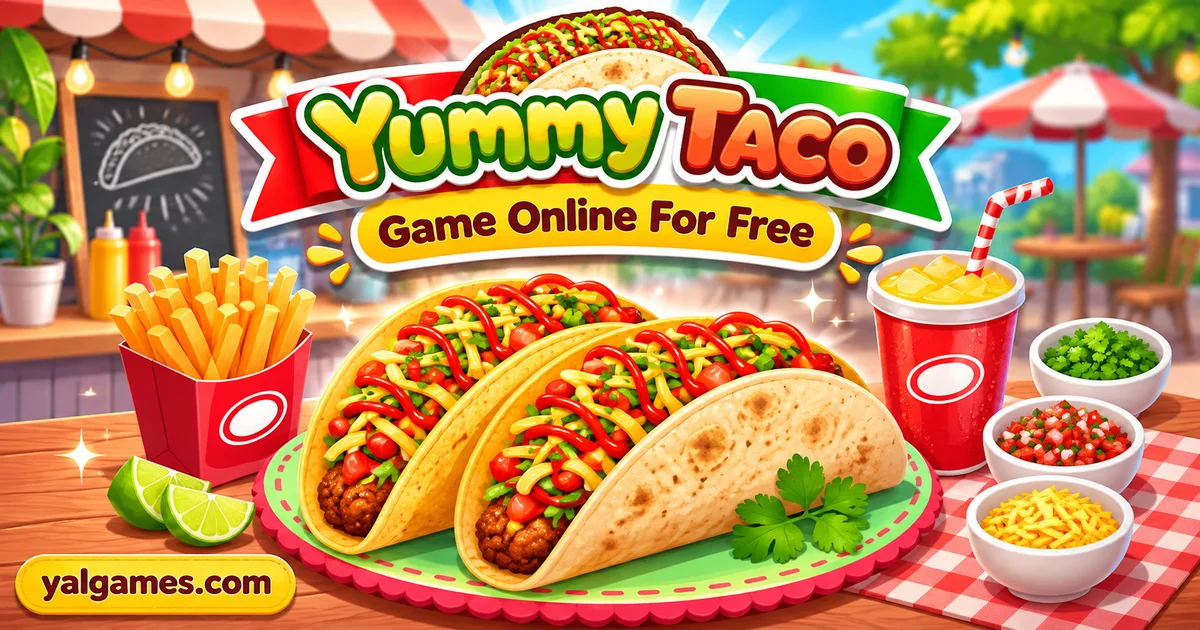
Play Yummy Taco online for free on YalGames and turn a simple kitchen into a cheerful taco-making adventure. Mix fresh ingredients, prepare homemade tortillas, cook savory fillings, and put together tasty-looking tacos for your customers. From kneading dough to serving the finished meal, every step gives you something new to do with just a few clicks or taps.
Created by Go Panda Games Studio, Yummy Taco is a colorful cooking simulation where you follow interactive instructions to prepare a Mexican-inspired dish from scratch. You'll work with familiar ingredients, use kitchen equipment, complete simple preparation tasks, and eventually put your cooking skills to the test at the serving counter.
Ready to make your first taco? Start the game above, follow the kitchen instructions, and see if you can prepare a delicious-looking meal without missing a step.
Before the First Customer Arrives
Every good food stall needs something worth serving. In Yummy Taco, that means learning how to prepare the main ingredients before you begin taking care of customers.
Unlike cooking games that immediately ask you to assemble orders from ready-made ingredients, this one takes you through several earlier stages of food preparation.
You begin with basic kitchen tasks, learning how to select ingredients, combine them, and follow the actions displayed on the screen. Later, you'll move on to the tortilla, prepare the meat, organize the kitchen, and serve your finished tacos.
The activities are presented through colorful visuals and straightforward interactions. You don't need professional cooking knowledge to begin; the game shows you what to do next.
The real challenge is paying attention to those instructions and completing each task in the correct sequence.
Making a Taco Starts With the Tortilla
A taco needs a base to hold its filling, so the preparation begins with the tortilla.
In Yummy Taco, the dough-making sequence introduces several ingredients, including flour, oil, baking soda, salt, and water.
You'll select the items requested by the game, combine them, and complete a series of simple preparation movements.
Mix the Ingredients
Look at the items displayed in the kitchen and choose the ingredients indicated by the current instruction.
Rather than clicking everything at once, complete one action and observe how the game responds. When the current task is finished, the screen guides you to the next step.
This process introduces the game's basic interaction system, which you'll continue using throughout the cooking experience.
Knead and Shape the Dough
Once the ingredients have been combined, it's time to work with the dough.
The game may display arrows or movement guides showing how to perform the next action. Follow the indicated path with your mouse or finger until the step is completed.
After kneading, you'll shape the dough into a round tortilla.
Try following the displayed movements steadily instead of dragging randomly across the screen. Clear, deliberate gestures make it easier to complete each task.
Heat the Tortilla
After shaping the dough, the tortilla needs to be prepared for the filling.
Follow the cooking instructions shown on screen, paying attention to any visual cues that tell you when to move, turn, or remove an item.
Once the tortilla is ready, you'll have completed the foundation of your taco.
Preparing the Filling: More Than Just Adding Meat
With the tortilla finished, the game moves on to the ingredients that give the taco its character.
The preparation stage includes working with meat and vegetables before assembling the final dish.
Get the Meat Ready
Yummy Taco includes interactive tasks involving meat preparation and kitchen equipment.
Depending on the stage, you may need to select ingredients, process the meat, or complete a cooking action by following the game's instructions.
One memorable part of the Y8-hosted version even involves dealing with a malfunctioning meat-processing machine.
Instead of simply pressing a button to skip the problem, you complete the indicated repair interaction so the preparation can continue.
This adds a little variety to the experience, turning an ordinary cooking sequence into a collection of short activities.
Prepare the Vegetables
Fresh toppings are an important part of the finished taco.
During the vegetable stage, the game introduces preparation actions such as selecting, cutting, or arranging ingredients.
Some versions also include a short activity involving ingredients that appear on the screen and must be collected correctly.
Watch the instructions carefully before acting. The objective is to complete the requested task rather than select every visible ingredient.
Add Seasoning and Sauce
Once the main filling is prepared, the game brings the ingredients together with the appropriate toppings and seasoning.
Follow the sequence shown on screen to finish the preparation.
Although the ingredients are inspired by real food, the game simplifies cooking into playful interactive steps. Treat the process as entertainment rather than a complete real-world recipe.
A Clean Kitchen Makes the Next Stage Possible
Yummy Taco isn't limited to mixing ingredients and placing toppings.
The Y8 edition also introduces kitchen maintenance tasks, including cleaning and decorating parts of the food preparation area.
These moments break up the cooking process and add another kind of interaction.
Cleaning the Equipment
When a cleaning task appears, pay attention to the tool or area highlighted by the game.
You may need to move an object across the indicated surface or follow a particular action until the task is complete.
Take your time with the movement. Random clicking won't necessarily help if the game expects you to drag something along a specific path.
Getting the Stall Ready
Decorating or organizing the preparation area creates a sense of progress before the customer-serving stage begins.
Once the required kitchen activities are finished, you can move on to assembling meals and handling orders.
These extra tasks make Yummy Taco feel like a small food-stall adventure rather than a single cooking animation.
The Serving Counter: Turn Your Preparation Into an Order
After preparing the ingredients, it's time to use them.
The customer-serving section introduces a different challenge: instead of focusing on how to make an ingredient, you need to choose the correct items and assemble the requested taco.
Customers may indicate what they want through an order display, giving you a combination of ingredients to follow.
Read the Order Before Selecting Ingredients
Look carefully at the requested fillings and toppings.
Selecting an incorrect ingredient can interrupt your progress or result in an order that doesn't match the customer's request.
When several ingredients are available, identifying the correct combination before you begin helps make the process smoother.
Assemble the Taco in the Right Order
Start with the prepared tortilla and add the requested fillings.
Follow the game's placement instructions instead of assuming every ingredient belongs in every order.
Once the taco is complete, use the serving interaction to deliver it to the waiting customer.
Keep an Eye on Customer Patience
In the customer-service portion of the Y8 version, timing becomes more important.
Some orders have a limited period in which they should be completed, so spending too long searching for ingredients can affect the result.
There's no need to panic, but learning where the ingredients are located can make subsequent orders easier to handle.
As you become familiar with the counter, you'll spend less time looking for items and more time completing the requested combinations.
How to Play Yummy Taco Without Complicated Controls
Yummy Taco uses simple point-and-click interactions rather than traditional movement keys.
The main actions involve selecting objects, dragging ingredients or tools, and tracing shapes displayed by the game.
Desktop Controls
| Action | Control |
|---|---|
| Select an ingredient | Left mouse click |
| Use a kitchen tool | Click the indicated object |
| Move an item | Click and drag |
| Follow a movement arrow | Hold the mouse button and trace the shown path |
| Confirm an interaction | Complete the requested action |
Mobile and Tablet Controls
Touch-compatible versions use the same basic interaction system.
- Tap: Select an ingredient or kitchen object.
- Touch and drag: Move items to their intended positions.
- Trace with your finger: Follow the arrow shapes displayed during preparation tasks.
- Lift your finger: Finish a drag or gesture when the game asks you to release it.
You don't need a keyboard for the main cooking actions. The important thing is recognizing which object or movement the current screen is requesting.
What Do the Arrows on Screen Mean?
One of the most useful things to understand about Yummy Taco is how its visual instructions work.
During preparation, the game may display an arrow or a curved line over an ingredient or tool.
That isn't decoration. It's showing you the movement required to complete the current step.
For example, an arrow might indicate that you should move in a circular motion, drag in one direction, or repeat a short gesture.
To complete these actions:
- Find the starting point of the indicated movement.
- Press and hold the mouse button or your finger.
- Follow the arrow in the direction shown.
- Complete the entire movement before releasing.
- Check whether the game advances to the next task.
If nothing happens, release the control and try the gesture again from the beginning.
Following the visual guide is generally more reliable than making rapid, uncontrolled movements.
Why Some Cooking Actions Don't Work the First Time
The controls may be simple, but a task can occasionally feel confusing if you miss a visual instruction.
Before assuming something is broken, check what the game expects.
You Selected the Wrong Ingredient
The current stage may require a specific object. Look for the item indicated by the instruction rather than clicking several ingredients at random.
You Didn't Follow the Full Arrow
Some gestures require a complete movement. Stopping halfway or dragging in the opposite direction may prevent the action from registering.
You Started the Drag Outside the Object
Try pressing closer to the center of the item before moving it.
On smaller touchscreens, take care not to cover the entire instruction with your finger.
The Previous Task Isn't Finished
The game often follows a particular preparation sequence.
If the next ingredient doesn't respond, check whether the previous action has been completed.
The Game Is Running Slowly
Browser performance can affect how smoothly interactions respond.
Close unnecessary tabs, refresh the page if needed, and use an updated browser.
Small Habits That Make Every Order Easier
Yummy Taco is designed to be approachable, but paying attention to a few details can make the experience more enjoyable.
- Read the active instruction: Each new screen introduces the next action. Looking at it first can save unnecessary clicks.
- Move steadily: When tracing an arrow, smooth movements are easier to control than sudden gestures.
- Watch for visual changes: A completed ingredient, changing object, or new prompt usually indicates that your action was accepted.
- Learn the counter layout: Remember where ingredients are positioned before the serving stage becomes busy.
- Check the customer's order: Accuracy matters when several toppings are available.
- Finish preparation tasks first: Complete the requested steps before trying to move ahead.
You don't need to memorize a complex recipe. The game guides you through the process, so careful observation is usually more helpful than clicking faster.
What Makes Yummy Taco Different From a Restaurant Management Game?
Many restaurant games focus on upgrading equipment, hiring staff, earning money, or expanding a business.
Yummy Taco takes a more hands-on approach.
Its main attraction is the preparation process: selecting ingredients, shaping dough, completing kitchen tasks, assembling a taco, and serving the finished food.
The experience is closer to an interactive cooking activity than a detailed business simulator.
Here's how the two styles differ:
| Yummy Taco | Typical Restaurant Management Game |
|---|---|
| Guided food preparation | Broader restaurant operations |
| Mouse and touch interactions | Often involves several management systems |
| Making ingredients and assembling meals | Managing staff, money, and upgrades |
| Short interactive kitchen tasks | Longer-term business progression |
| Focus on completing the recipe and orders | Focus on expanding or optimizing a restaurant |
If you enjoy the satisfying process of making something step by step, Yummy Taco offers a focused experience without requiring you to manage an entire restaurant economy.
A Colorful Cooking Game With Familiar Ingredients
Part of Yummy Taco's appeal comes from its cheerful presentation.
The ingredients are easy to recognize, the kitchen activities are visually guided, and each completed stage brings you closer to a finished meal.
Instead of demanding precise measurements or realistic food preparation techniques, the game turns ordinary kitchen actions into simple interactions.
That makes it accessible to players who enjoy casual cooking games and don't want to spend time learning a complicated interface.
It's worth remembering that the virtual recipe is simplified. Real taco preparation involves food safety, proper cooking temperatures, and techniques that aren't fully represented by the game.
Who Created Yummy Taco?
Yummy Taco is credited to Go Panda Games Studio, an independent game developer based in South Surabaya, Indonesia.
The studio creates casual browser games featuring cooking, everyday activities, and playful interactive scenarios.
Other games associated with Go Panda Games include:
- Yummy Waffle Ice Cream: A dessert-making game involving waffles and ice cream.
- Cooking Korean Lesson: A guided cooking experience featuring Korean-inspired dishes.
- Funny Cooking Camp: A lighthearted cooking game set around a camping theme.
- Funny Camping Day: A casual activity game featuring different outdoor tasks.
Poki lists August 2022 for its Yummy Taco release, while Y8 records the game as added on December 15, 2021. These are platform-specific dates and should not be confused with a confirmed original worldwide launch date.
Play Yummy Taco Online for Free on YalGames
You can launch the browser-based Yummy Taco game on YalGames without installing a separate desktop application.
Open the game above, wait for the kitchen to appear, and use your mouse or touchscreen to begin preparing ingredients.
Supported browser versions run on desktop computers, phones, and tablets.
The game uses HTML5 technology, so there is no need for a separate Flash installation or an unrelated browser extension.
Can You Play Yummy Taco on Mobile?
Yes. The game is listed as compatible with mobile phones and tablets.
On a touchscreen, tap ingredients to select them and drag your finger to perform the actions shown by the game.
A larger display may make some of the smaller ingredients and movement arrows easier to see, but touch controls allow you to complete the preparation tasks on compatible mobile devices.
Can You Play Yummy Taco in Fullscreen?
Supported versions offer fullscreen gameplay, allowing the cooking area to occupy more of your screen.
If the fullscreen button is available in the player interface, select it to enlarge the game.
This can be especially helpful when following detailed movement arrows or working with several small objects.
Do You Need to Download Yummy Taco?
No. The browser version can be played without installing a separate application.
Be cautious with unrelated download websites that advertise unofficial installers or modified game files. Normal browser play doesn't require them.
Can You Play Yummy Taco Unblocked?
Some players search for Yummy Taco unblocked because they want a cooking game that runs directly through a web browser.
However, schools, workplaces, and shared networks may restrict access to gaming websites. Browser compatibility doesn't guarantee access on every connection.
Follow the access rules of the network you're using.
Is Yummy Taco Suitable for Kids?
Yummy Taco uses colorful visuals, familiar food ingredients, and simple click-and-drag controls.
Its guided activities may appeal to younger players who enjoy pretend cooking and interactive kitchen games.
However, the game should be treated as entertainment rather than a real cooking lesson.
Parents and guardians should review the game page, advertisements, and content before deciding whether it is appropriate for a child.
Because the experience is based on virtual food preparation, no actual cooking equipment is needed to play.
Explore More Cooking Games
If you enjoy preparing virtual meals and experimenting with ingredients, explore the Cooking Games category on YalGames.
You may also enjoy these cooking-themed games:
- Yummy Waffle Ice Cream: Prepare waffles and add sweet ice cream toppings.
- Cooking Korean Lesson: Follow interactive steps to make Korean-inspired dishes.
- Funny Cooking Camp: Try a playful cooking experience inspired by camping activities.
- Yummy Churros Ice Cream: Prepare a dessert combining churros with ice cream.
- Papa's Pizzeria: Take orders and prepare pizzas in a restaurant-management setting.
Each game approaches food preparation differently, offering new ingredients, cooking activities, and serving challenges.
Frequently Asked Questions About Yummy Taco
What is Yummy Taco?
Yummy Taco is a cooking simulation game where you prepare tortillas, work with meat and vegetables, assemble tacos, and serve customers through interactive kitchen activities.
Who developed Yummy Taco?
Yummy Taco is credited to Go Panda Games Studio, an independent developer based in Indonesia.
Is Yummy Taco free to play?
Yes. You can play the browser version on YalGames for free without installing a separate application.
How do you play Yummy Taco?
Follow the instructions displayed on screen. Click or tap ingredients to select them, drag objects where indicated, and trace arrow shapes to complete preparation tasks.
What ingredients are used to make the tortilla?
The game includes flour, oil, baking soda, salt, and water in its simplified virtual tortilla preparation sequence.
How do you knead the dough?
Use your mouse or finger to follow the movement arrows displayed during the dough-making stage. Complete the indicated gesture to advance.
What happens after making the tortilla?
The game continues with additional preparation tasks involving meat, vegetables, cooking equipment, and assembling the finished taco.
Can you serve customers in Yummy Taco?
Yes. The game includes a serving stage where you assemble tacos using the requested ingredients and deliver them to customers.
Does Yummy Taco have a timer?
Some customer-serving activities in the Y8 version include time-sensitive orders. The initial ingredient preparation stages are more focused on following instructions.
Why isn't my mouse drag working?
Check the direction of the displayed arrow and make sure your drag begins on the active object. Try completing the entire movement smoothly before releasing.
Can I play Yummy Taco on my phone?
Yes. Supported mobile versions allow players to select ingredients and perform cooking actions using touchscreen controls.
Can you play Yummy Taco on a Chromebook?
The HTML5 browser game can run on compatible Chromebooks with an updated browser. Performance depends on the device and game version.
Does Yummy Taco have multiplayer?
No multiplayer mode is identified in the verified browser edition. Yummy Taco is primarily a single-player cooking simulation.
Is Yummy Taco a real taco recipe?
No. The game uses recognizable ingredients but simplifies preparation and cooking for entertainment. It should not be used as a complete food-safety guide or real recipe.
When was Yummy Taco released?
Y8 lists the game as added on December 15, 2021, while Poki gives August 2022 as its platform release date. These listings do not establish one confirmed original launch date.
Do I need to install Yummy Taco?
No. You can launch the browser game on YalGames without downloading a separate desktop application.
Your Taco Is Ready to Serve
Yummy Taco makes a familiar meal into a series of playful kitchen activities. From choosing the first ingredients to assembling a finished order, the game gives you a chance to experience different parts of food preparation through simple interactions.
The controls are easy to understand, but following each instruction carefully makes the experience smoother. Take your time when preparing ingredients, watch the visual prompts, and keep the customer's order in mind when it's time to serve.
Play Yummy Taco on YalGames, prepare your first tortilla, and discover how much fun a virtual taco kitchen can be.