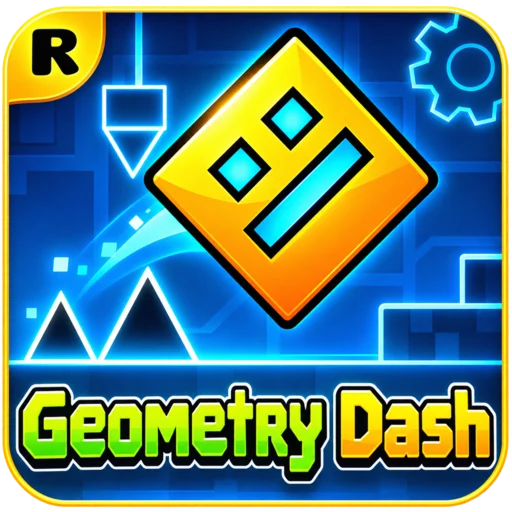
One jump too early. One spike you didn't see coming. And suddenly, you're back at the beginning. Geometry Dash is a rhythm-based platform game that turns a simple action into a challenge of timing, memory, and patience. Your character travels through colorful obstacle courses while electronic music sets the pace. To reach the finish, you'll need to learn the patterns, react to changing gameplay, and keep moving without crashing.
Play Geometry Dash online on YalGames and discover why a single well-timed jump can feel so satisfying. Whether you're attempting your first level or trying to improve a difficult section, every run gives you another chance to understand the course and make it a little farther.
The challenge begins in the game window above. Choose an available level, watch the obstacles ahead, and see how far your timing can take you.
One Button, Hundreds of Decisions
The original Geometry Dash, created by Swedish developer Robert Topala under RobTop Games, launched in August 2013. Its central idea is straightforward: guide a geometric character through a level without touching anything dangerous.
In the classic side-scrolling mode, your icon moves forward automatically. You control when it jumps or performs another action, depending on its current form. Spikes, walls, saw blades, and changing terrain stand between you and the end of the level.
What makes the game challenging isn't the number of buttons. It's the precision required to use them.
Pressing too soon might send your cube into the side of an obstacle. Pressing too late can mean landing directly on a spike. Even when you know exactly what's coming, executing the correct movement at the right moment takes practice.
The electronic soundtrack gives each level its identity and can help you anticipate the rhythm of certain obstacle patterns. However, not every action should be triggered on a musical beat. Watching the layout and learning the timing remain essential.
Your First Level: From 0% to the Finish
Geometry Dash becomes much easier to understand once you stop thinking about completing an entire level immediately. Instead, treat your first attempts as an opportunity to learn what happens along the way.
Here's a useful approach for beginners:
- Start with an easier level. If your version includes Stereo Madness or Back On Track, these are familiar starting points in the official game.
- Watch the opening obstacles. Identify the first spike, gap, or platform before deciding when to jump.
- Use short, deliberate inputs. A quick press usually produces a more controlled cube jump than holding the button without thinking.
- Notice where you crash. Remember the obstacle and adjust your timing on the next attempt.
- Learn small sections. Once the opening becomes familiar, focus on the next part of the level.
- Keep going until the end. Combine the sections you've learned into one successful run.
A crash resets your progress in a normal classic-mode attempt. That may feel discouraging at first, but repetition is a major part of how players learn the game.
Desktop Controls: Simple Inputs, Precise Timing
In the classic Geometry Dash gameplay style, the standard action can be performed with several familiar inputs.
| Action | Common Desktop Control |
|---|---|
| Jump or activate your current form | Spacebar |
| Alternative action key | Up Arrow |
| Mouse control | Left Mouse Button |
| Continuous movement in certain forms | Hold the action input |
| Release to change movement | Release the held input |
When controlling a cube, pressing the action key makes it jump. Other forms respond differently, so holding or releasing the input can become just as important as the initial press.
The newer platformer mode in the full official game includes freely controlled movement rather than the traditional automatic scrolling. Its controls differ from classic mode.
What Changes on Mobile?
The official mobile versions use touch input. In the classic gameplay style, you tap the screen to jump or perform an action and hold when a vehicle form requires continuous movement.
Browser adaptations may have different touchscreen support. If the version on this page doesn't respond to taps, try playing with a keyboard and mouse on a computer.
Every Portal Changes How You Play
Just when you've become comfortable jumping with the cube, Geometry Dash can change your character into something completely different.
Transformation portals introduce new movement mechanics. Learning what each form does helps you prepare for the next section instead of reacting with the wrong control.
| Icon Form | How It Changes Movement |
|---|---|
| Cube | Jumps when you press the action button. |
| Ship | Rises while you hold the button and descends when you release it. |
| Ball | Switches gravity when activated on a suitable surface. |
| UFO | Makes a short upward movement with each press. |
| Wave | Travels diagonally upward when held and downward when released. |
| Robot | Uses variable-height jumps based on how long you hold the action. |
| Spider | Switches gravity with an immediate movement to the opposite surface. |
| Swing | Changes its movement direction by switching gravity. |
These forms are part of the full game's evolving mechanics, although not every level or browser adaptation includes all of them.
Why the Ship Feels Harder Than the Cube
With the cube, your main decision is when to jump. The ship requires ongoing control. Holding the action makes it rise, while releasing allows it to descend.
That means you must think about how high you're flying and how much space remains above or below you.
Beginners often hold the button too long and hit the ceiling. Instead, try making smaller adjustments and maintaining a safe flight path through the middle of an open corridor.
Gravity Portals Can Reverse Your Instincts
Some portals reverse gravity or change the orientation of a section. Suddenly, what used to be the floor becomes the ceiling.
When approaching a gravity change, look at where your character will move after passing through the portal. Memorizing that transition is often more useful than waiting to react after it happens.
Jump Pads and Orbs Are Not the Same
Jump pads activate when your character touches them under the appropriate conditions. Jump orbs generally require an action input while your character is within their activation range.
That distinction matters in tightly timed sections. Pressing too early may fail to activate an orb, while pressing at the wrong moment can send your character into another hazard.
Practice the interaction timing separately when a difficult level places several pads, orbs, and portals close together.
Why You Keep Dying at the Same Obstacle
One of the most familiar Geometry Dash experiences is reaching the same section repeatedly and crashing in almost the same place.
It's tempting to assume the obstacle is simply too difficult, but repeated failures often reveal a specific timing problem.
You're Reacting to the Spike Instead of Preparing for It
Waiting until your cube reaches a spike leaves little room for adjustment. Instead, use a fixed visual landmark before the obstacle as your jumping cue.
For example, you might learn that pressing when your cube passes a particular block gives the correct jump distance. Once that timing becomes familiar, the section feels more predictable.
You're Holding the Button Too Long
Some sequences respond differently to sustained input. If you keep jumping when you meant to land, or your ship rises into an obstacle, pay attention to when you release the button.
Sometimes improving means doing less, not pressing faster.
You're Forgetting What Comes After the First Hazard
A successful jump can still put you in danger if another obstacle appears immediately afterward.
Try learning two or three actions as a connected sequence. That prepares you for the landing and the following jump, rather than treating every spike separately.
Practice Mode: Turn a Difficult Level Into Smaller Challenges
The full Geometry Dash game includes Practice Mode, which allows players to use checkpoints and repeat difficult sections without restarting the entire level after every crash.
It's one of the most useful tools for improving, especially when you're learning a long level with several different forms and obstacle patterns.
A Practical Way to Train
Instead of replaying the entire course without a plan, divide it into manageable sections.
- Learn the opening: Practice the first part until you can recognize the jumps and portals confidently.
- Work on your hardest section: Use checkpoints near the obstacle sequence that causes the most trouble.
- Repeat the transition: If you struggle when changing from cube to ship, practice the moments before and after the portal together.
- Connect the sections: Once individual patterns feel familiar, try completing longer stretches.
- Return to normal mode: Attempt the complete level without relying on practice checkpoints.
Practice Mode completion is different from clearing a normal level. It helps you learn the course, but it doesn't replace a full normal-mode completion for standard progress rewards.
If the browser version you're playing does not include Practice Mode, you can still use repeated attempts to focus on one difficult section at a time.
From Stereo Madness to the Hardest Challenges
Not every Geometry Dash level demands the same level of skill. The official game uses difficulty ratings to help players understand what kind of challenge they're facing.
Familiar categories include Easy, Normal, Hard, Harder, Insane, and Demon. Auto is also used for levels designed to progress without normal player input.
Demon levels are divided into additional categories, including Easy Demon, Medium Demon, Hard Demon, Insane Demon, and Extreme Demon.
These labels help describe the challenge, but no single difficulty rating tells the whole story. A level with difficult ship control might be easier for one player than a level filled with precise cube jumps.
A Learning Path for New Players
If you're playing the full official game, consider starting with the early stages before moving to more demanding ones:
- Stereo Madness: Learn the basic relationship between movement, jumping, and obstacles.
- Back On Track: Build confidence with simple patterns and jump timing.
- Polargeist: Begin learning how interactive objects can influence your movement.
- Dry Out: Get more comfortable with changing gravity and unfamiliar layouts.
- Base After Base: Practice connecting multiple obstacle patterns without losing concentration.
- Can't Let Go: Test whether you can maintain consistent timing through more demanding sections.
Later official levels introduce additional mechanics, faster transitions, and more complicated combinations.
The full official game also includes four dedicated platformer levels introduced with Update 2.2, alongside its classic side-scrolling stages. The content available in browser versions can be significantly different.
Music Is a Guide, Not an Autopilot
Geometry Dash wouldn't feel the same without its electronic music. The soundtrack gives each stage a personality and helps establish the rhythm of upcoming movements.
Listening carefully can make some jump patterns easier to remember. A particular sound or musical phrase may become associated with a difficult obstacle, helping you anticipate when to act during future attempts.
However, the music shouldn't replace watching the course. Not every jump happens exactly on a beat, and some sections require you to react to visual cues more than sound.
The most effective approach combines both: use the soundtrack to understand the flow of a level and the visual design to judge your exact timing.
What Makes Geometry Dash More Than a Simple Jumping Game?
The original game's appeal comes from several systems working together.
Instant restarts make it easy to try again after a mistake. Instead of waiting through a long failure screen, you can immediately use what you just learned.
Changing icon forms introduce different movement rules, so completing a level requires more than repeating the same jump pattern.
Distinct difficulty levels give players a progression path, from learning basic timing to mastering complex sequences.
Customization lets players unlock and select different icons, colors, and visual effects in the full game.
Community-created stages expand the official experience far beyond its built-in levels. The full game includes a level editor where creators can build and share their own courses.
The official 2.2 update also introduced Swing gameplay, new camera tools, and a platformer mode. Later updates have continued improving features and editing tools.
These features vary between releases. A browser adaptation may focus primarily on the jumping gameplay rather than providing the complete level editor, online community, or customization systems.
Playing Geometry Dash on YalGames vs. the Official Game
YalGames offers a browser-based Geometry Dash experience that you can launch from this page without installing the full desktop game.
Browser versions are convenient for players who want to try the rhythm-platforming challenge immediately. However, they should not automatically be treated as identical to the official release from RobTop Games.
The full official game is available through supported platforms such as Steam, Android, and iOS, where players can access its complete selection of supported features, official content, and community systems.
If you're interested in the official release, visit the RobTop Games website or the game's verified store listings.
Is the Browser Version Free?
You can start the version featured on YalGames for free without purchasing a separate desktop application. The official full game is a separate product and may require payment depending on the platform.
Can You Play Geometry Dash Unblocked?
Players often search for Geometry Dash unblocked when looking for browser access without installing software. However, availability depends on the restrictions of the network you're using.
Some schools and workplaces block gaming sites or external game resources. A browser version isn't guaranteed to work on every restricted connection, so always follow the relevant network rules.
What If Geometry Dash Won't Load?
Start by refreshing the page and allowing the game to finish loading. If your controls don't respond, click inside the game window to make sure it has keyboard focus.
You can also try updating your browser, checking your internet connection, closing unnecessary tabs, or testing another modern browser.
If the game still doesn't start, the problem may involve the embedded game resources or device compatibility.
After Geometry Dash: More Rhythm and Reflex Challenges
If you enjoy timing jumps, learning obstacle patterns, and improving with every attempt, explore our Rhythm Games category for more challenges built around music, movement, and precise reactions.
You may also enjoy these related games:
- Geometry Dash Lite: A lighter official version introducing the game's core jumping and obstacle mechanics.
- Geometry Dash SubZero: A standalone spin-off featuring its own levels and energetic electronic tracks.
- Geometry Dash World: A free entry in the series with shorter levels and additional challenges.
- Geometry Dash Meltdown: A music-driven spin-off with three distinct levels and colorful obstacles.
- Geometry Dash Scratch: Community recreations inspired by the familiar jumping mechanics, with features that vary by project.
- Slope 2: A different kind of reflex challenge where you steer a rolling ball through dangerous 3D tracks.
Geometry Dash Questions, Answered
Who created Geometry Dash?
Geometry Dash was created by Swedish developer Robert Topala, known as RobTop, and published under RobTop Games. The original game launched in August 2013.
Can I play Geometry Dash online for free?
You can launch the browser-based experience on YalGames for free. Browser adaptations may differ from the paid full official game in available levels, modes, and features.
What are the controls for Geometry Dash?
Classic gameplay primarily uses one action input. On desktop, you can usually press Spacebar, the Up Arrow, or the left mouse button. The effect depends on your current icon form.
How many official levels are in Geometry Dash?
The full version associated with Update 2.2 includes 22 classic side-scrolling levels and four official platformer levels, plus separate bonus content. Browser versions may contain fewer levels or different selections.
What is the hardest difficulty in Geometry Dash?
Extreme Demon is the highest Demon difficulty category used for rated levels. Individual level difficulty varies, and the hardest community-created challenges are not necessarily official main levels.
What does Practice Mode do?
Practice Mode allows you to use checkpoints to repeat difficult sections. It helps you learn a level before attempting a complete run in normal mode.
Can I make my own Geometry Dash levels?
The full official game includes a level editor and community sharing features. These tools may not be available in browser adaptations.
Can you play Geometry Dash on mobile?
Yes. Official Geometry Dash games are available on supported Android and iOS devices. Browser compatibility depends on the particular version.
Is Geometry Dash multiplayer?
The traditional main-level experience is single-player. The official game also has online community features for creating, sharing, and playing user-made levels, but that is different from a standard real-time multiplayer match.
Does Geometry Dash have an ending?
Individual levels have a finish, usually reached at 100% completion. The broader game includes numerous levels, challenges, achievements, and community content rather than a single final ending.
Does Geometry Dash require a download?
No separate desktop installation is required for the browser game on this page. The full official version is available through supported app stores and gaming platforms.
Is Geometry Dash suitable for younger players?
The core gameplay features geometric characters and obstacle avoidance rather than realistic violence. Parents should still consider the game's difficulty, frustration level, and any online community features or purchases in the official release.
Your Next Attempt Starts at 0%
Geometry Dash can make a single obstacle feel impossible until the moment you finally understand its timing. That change rarely comes from luck. It comes from noticing patterns, learning how your icon responds, and improving one small section at a time.
Whether you're aiming to finish an easy level or trying to reach a new personal best, progress often begins with one better-timed jump.
Start Geometry Dash on YalGames, listen to the rhythm, watch the next obstacle, and see how far your next attempt takes you.