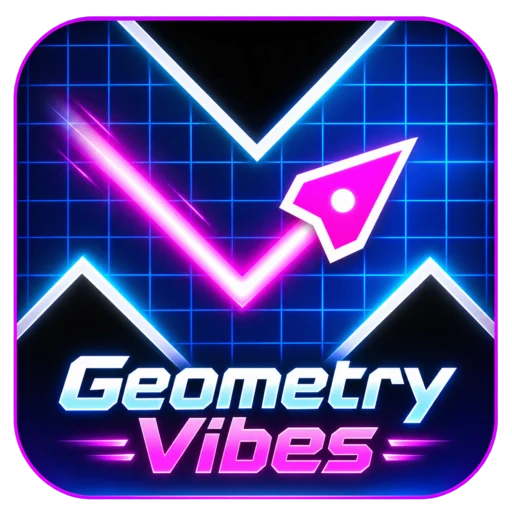





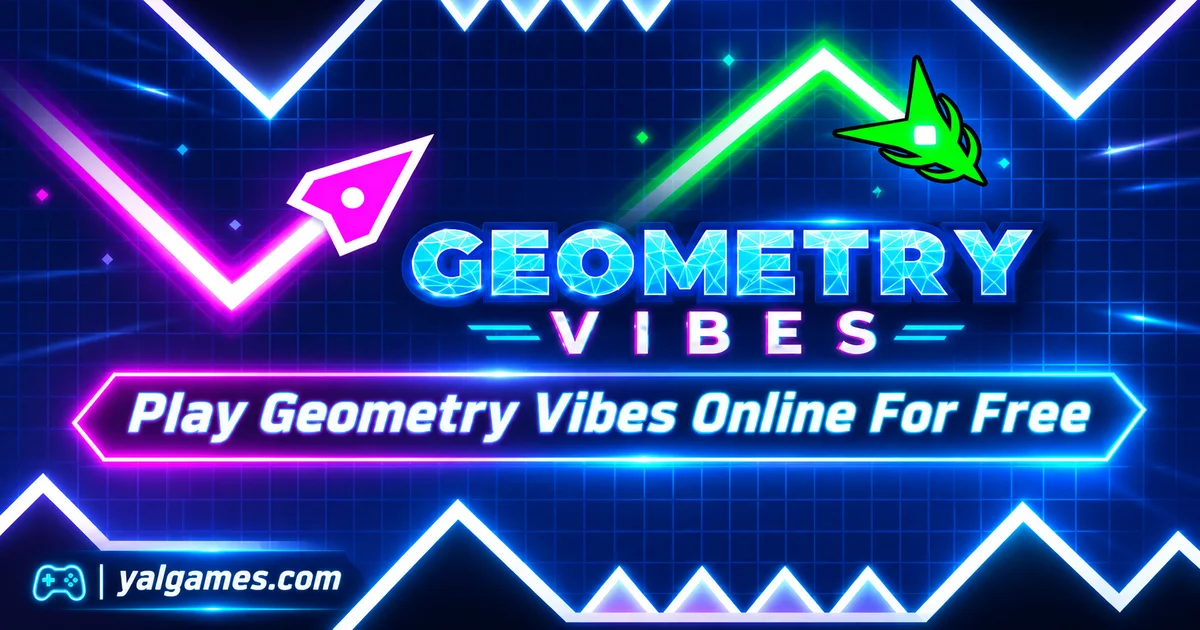
Play Geometry Vibes online for free on YalGames and guide a glowing arrow through dangerous tracks filled with spikes, moving obstacles, and narrow gaps. Hold your mouse button or keyboard control to fly upward, then release it to dive downward. Every movement changes your path, so finding the right rhythm is essential if you want to survive.
Developed by gameVgames, Geometry Vibes is a fast-paced arcade game that combines simple controls with increasingly demanding challenges. Complete ten levels in Classic Mode, test how far you can travel in Endless Mode, or invite your friends to compete in local races with up to four players. You can also customize your arrow with different appearances and visual effects in supported versions.
Ready to test your timing? Start the game above, choose a mode, and guide your arrow between the obstacles. One poorly timed movement can end your attempt, but each restart gives you another opportunity to improve.
Three Ways to Experience Geometry Vibes
Geometry Vibes offers more than a single obstacle course. Its three main game modes approach the same movement mechanic in different ways, giving you a choice between structured progression, high-score challenges, and competition with friends.
Classic Mode: Complete All 10 Levels
Classic Mode is a good starting point for new players. It features ten courses arranged in increasing difficulty, allowing you to become familiar with the arrow's movement before attempting more demanding obstacle patterns.
Each level has a finish line. Your objective is to guide the arrow through the entire course without hitting spikes, traps, or other solid obstacles.
The earlier stages provide more opportunities to learn how long to press and when to release. Later courses reduce your margin for error, introducing tighter openings and more complicated sequences.
To progress, complete the current level and unlock the next challenge.
Endless Mode: How Far Can You Go?
Endless Mode replaces the fixed finish line with a survival challenge.
Your arrow continues moving through obstacles, and your objective is to travel as far as possible before crashing.
The longer you survive, the faster the game becomes. That increasing speed makes it harder to react to upcoming hazards, forcing you to anticipate the path rather than relying only on reflexes.
Every attempt offers a chance to improve your personal distance record.
This mode is particularly enjoyable if you prefer chasing your own achievements instead of progressing through individual levels.
Race Mode: Challenge Up to Three Friends
Race Mode brings local multiplayer competition into Geometry Vibes.
Two, three, or four players can compete on the same device, using separate controls to guide their arrows through the course.
The objective is to survive the obstacles and outperform the other participants.
Because each player controls their arrow with a single key, the mode is relatively easy to set up on a shared keyboard.
Keep in mind that this is local multiplayer, not automatically an online matchmaking mode. Players compete together using the same computer or supported device.
The One-Button Mechanic Behind Every Move
The central challenge in Geometry Vibes comes from controlling an arrow that moves forward automatically.
You don't need to steer left or right. Instead, you control the arrow's vertical direction by holding or releasing a button.
- Hold the control: The arrow moves diagonally upward.
- Release the control: The arrow descends diagonally.
- Alternate between both: Create a zigzag path through obstacles.
The difficulty comes from the duration of each input.
A long press creates a larger climb. A brief press makes a smaller correction. Releasing too early may send the arrow toward the floor, while holding for too long can cause a collision with the ceiling or an overhead spike.
The goal is to move through the available space without making unnecessary corrections.
Why Short Presses Are Often Better
Imagine approaching a tunnel where spikes cover both the top and bottom.
Holding the button continuously will send your arrow into the upper obstacles. Releasing it for too long will cause it to descend into the lower ones.
Instead, use short, controlled presses and releases to maintain a safe position between the hazards.
This technique becomes increasingly useful when the available space is narrow.
Look Beyond the Next Obstacle
Passing the obstacle directly in front of you is only part of the challenge.
You also need to consider where your arrow will be positioned immediately afterward.
If a gap leads into another section that requires climbing, entering too low may leave you without enough time to rise.
Similarly, leaving a passage too high can make a sudden downward turn difficult.
Try planning your movement around the next two obstacles rather than reacting to each one separately.
Geometry Vibes Controls for One to Four Players
Geometry Vibes uses straightforward mouse and keyboard controls on desktop computers.
The exact shortcuts may vary between game editions, so follow the instructions displayed in the version you're playing.
Single-Player Controls
| Action | Control |
|---|---|
| Move upward | Hold Left Mouse Button or Up Arrow |
| Alternative upward control | Spacebar in supported versions |
| Move downward | Release the active control |
| Restart after a collision | Use the game's restart option |
| Pause or open menu | Esc in supported versions |
Race Mode Controls
When playing with friends on the same computer, each participant receives a separate input.
| Player | Control |
|---|---|
| Player 1 | Left Mouse Button or Spacebar |
| Player 2 | Up Arrow |
| Player 3 | H |
| Player 4 | L |
Each player holds their assigned control to move upward and releases it to descend.
Before starting a competitive race, make sure everyone understands which key belongs to their arrow.
Mobile Controls
Touch-compatible versions use a similar hold-and-release system.
Press and hold the screen to climb, then lift your finger to descend.
Playing in landscape orientation may provide a wider view of the upcoming obstacles, making it easier to plan your next movement.
From Easy to Insane: Understanding the 10 Levels
Geometry Vibes gradually increases its difficulty across ten Classic Mode levels.
The courses are commonly organized into five difficulty groups: Easy, Normal, Hard, Extreme, and Insane.
| Levels | Difficulty | Main Challenge |
|---|---|---|
| 1–2 | Easy | Learning movement and basic timing |
| 3–4 | Normal | Handling closer obstacles and tighter spaces |
| 5–6 | Hard | Maintaining consistent movement through demanding patterns |
| 7–8 | Extreme | Reacting accurately with less room for correction |
| 9–10 | Insane | Mastering difficult sequences and precise timing |
Levels 1–2: Learn the Basics
The opening courses are designed to introduce the arrow's diagonal movement.
Use this opportunity to experiment with how far the arrow climbs during a short press and how quickly it descends when you release.
Don't rush through these levels without understanding the controls. The movements you learn here will be useful throughout the game.
Levels 3–4: Improve Your Accuracy
As the passages become narrower, large corrections can become dangerous.
Practice maintaining a steady path with smaller presses.
Try approaching each obstacle from a position that leaves enough space for your next movement.
Levels 5–6: Remember the Patterns
At this stage, understanding the layout becomes increasingly important.
If you fail at a particular obstacle, pay attention to the position of your arrow immediately before the collision.
On your next attempt, adjust your timing slightly and compare the result.
Repeated practice can help you recognize difficult sequences before they reach your character.
Levels 7–8: Reduce Unnecessary Movement
Extreme difficulty leaves less time to correct mistakes.
Instead of constantly alternating between pressing and releasing, focus on making only the movements necessary to pass through the available openings.
Keeping the arrow near a useful position can be more effective than reacting dramatically to every obstacle.
Levels 9–10: Put Everything Together
The final two levels demand strong control, concentration, and an understanding of the obstacle patterns.
Long presses may become especially risky in narrow sections, and hesitation can leave you poorly positioned for the next gap.
Use everything you've practiced: look ahead, control your press duration, remember difficult sections, and remain patient after a failed attempt.
How to Beat the Sections That Keep Stopping You
One of the most frustrating situations in Geometry Vibes is repeatedly crashing at the same obstacle.
But when a level uses a consistent layout, repeated attempts allow you to study the exact movement that needs improvement.
Identify the Real Cause of the Collision
Don't simply assume you need to react faster.
Ask yourself what actually happened:
- Did the arrow enter the gap too high?
- Did you release the button too late?
- Did a long press cause you to overshoot?
- Were you looking at your character instead of the next obstacle?
- Did you begin the correction only after reaching the dangerous section?
Understanding the mistake makes the next attempt more useful.
Change One Movement at a Time
Suppose you keep hitting a spike above the same narrow opening.
On your next attempt, release the control slightly earlier while keeping the rest of your movement pattern consistent.
If you pass that obstacle, you've identified a useful correction.
Changing several inputs at once makes it harder to understand which adjustment helped.
Don't Confuse Faster Clicking With Better Timing
Rapid tapping can create unstable movement when the course requires a controlled diagonal path.
Instead of pressing as quickly as possible, choose a rhythm that matches the shape of the corridor.
Some obstacles require a longer climb, while others need only a tiny adjustment.
Accuracy matters more than the number of times you press the button.
Endless Mode: Build a Better Distance Record
Endless Mode creates a different kind of pressure because there is no final portal waiting at the end of the course.
You're competing against your previous distance while the increasing speed makes the route more demanding.
A useful strategy is to divide your run into three phases.
Early Run: Stay Controlled
During the opening section, avoid unnecessary movements.
Keep your arrow in a position that allows you to react either upward or downward when the next obstacle appears.
There's no advantage to taking extra risks when the game is still moving at a manageable speed.
Middle Run: Anticipate the Gaps
As the speed increases, reacting only when an obstacle reaches your arrow becomes less reliable.
Look ahead and prepare your movement before entering tighter sections.
Try maintaining a consistent pattern instead of making sudden corrections at the last moment.
Late Run: Focus on Survival
At higher speeds, small mistakes can end a promising attempt.
Concentrate on staying within the available space rather than making dramatic movements.
If you set a new distance record, remember which section eventually stopped you. That information can help you prepare for the same type of challenge during your next run.
Race Mode Is About Staying Alive, Not Just Moving Fast
Competing against friends makes Geometry Vibes feel different from a solo challenge.
In Race Mode, several arrows share the screen, and everyone tries to survive the same obstacle course.
The temptation to react to another player's progress can lead to unnecessary mistakes.
Keep Your Attention on Your Own Arrow
When another player moves ahead, don't automatically change your movement pattern to match theirs.
Focus on the obstacles approaching your own position.
A steady run can outperform an opponent who takes unnecessary risks.
Practice Before the Race
If you're new to the game, spend a few attempts in Classic Mode first.
Learning the movement system without other arrows on screen can make local multiplayer easier to manage.
Agree on the Controls Before Starting
Because several people may share one keyboard, it's important to make sure everyone has enough room to use their assigned key.
Choose a comfortable setup and test each player's controls before beginning.
Race Mode is an enjoyable choice for friends who want a simple local competition without complicated character controls.
Customize Your Arrow, Trail, and Colors
Geometry Vibes also includes visual customization options that let players change the appearance of their arrow.
Depending on the version, you can unlock or select different arrow designs, trails, and color combinations.
These customization options add variety without changing the basic hold-and-release mechanic.
Arrow Skins
Different designs give your character a new visual appearance.
Some are simple and streamlined, while others feature more detailed shapes.
Choose an arrow that's easy for you to recognize against the game's background, especially during faster sections.
Trails and Visual Effects
Trails add an effect behind the moving arrow, making its path more visually distinctive.
They can also make the zigzag movement more satisfying to watch.
However, decorative effects shouldn't distract you from the obstacles directly ahead.
Unlocking Customization
Some editions use coins earned through gameplay to unlock additional cosmetic options.
Available items, prices, and progression systems may vary between browser and mobile releases.
Customization is primarily visual and shouldn't be confused with a speed or survival advantage.
Does Music Help You Play Geometry Vibes?
Geometry Vibes uses energetic music and bright visuals to create a rhythm-inspired arcade atmosphere.
The soundtrack can make repeated obstacle sequences feel more natural, especially when you're practicing a section with a consistent movement pattern.
However, it's important to watch the actual obstacles rather than assuming every jump or movement must happen on a particular musical beat.
The safest timing cues come from the layout of the course and the position of your arrow.
You don't need musical training to play. Good observation, accurate control, and practice are more important than being able to identify rhythms by ear.
Playing with sound can make the experience more enjoyable, but you can still understand the basic movement system through the visuals.
Geometry Vibes vs Geometry Arrow
Players who enjoy wave-style movement may notice similarities between Geometry Vibes and Geometry Arrow.
Both games use an automatically moving arrow that climbs when you hold the control and descends when you release.
The main difference lies in their available challenges and progression systems.
| Geometry Vibes | Geometry Arrow |
|---|---|
| 10 Classic Mode levels | 6 levels in the commonly available version |
| Classic, Endless, and local Race modes | Primarily level-based progression |
| Local races for up to four players | Focuses on solo obstacle navigation |
| Arrow skins, trails, and colors in supported editions | More straightforward visual presentation |
| Endless distance-record challenges | Reach the exit portal in each course |
If you enjoy the precise zigzag movement of Geometry Arrow but want more ways to play, Geometry Vibes offers additional modes and local competition.
Both games have similarities to the Wave mechanic associated with Geometry Dash, but Geometry Vibes is a separate game developed by gameVgames rather than an official RobTop Games release.
Play Geometry Vibes Online on YalGames
You can launch Geometry Vibes directly in your browser on YalGames without installing a separate desktop application.
Open the game above, wait for it to load, and select one of the modes offered by the current version.
For desktop play, a mouse or keyboard provides straightforward control over the arrow's movement.
Some editions also support touchscreen devices, although the availability of particular modes and customization options may vary.
Can You Play Geometry Vibes on Mobile?
Yes. Geometry Vibes has official mobile releases for Android and iOS, along with browser editions that may support touch controls.
The mobile versions use the same basic idea of pressing to climb and releasing to descend.
For the official mobile app, check Geometry Vibes on Google Play or Geometry Vibes on the Apple App Store.
Menus, available features, and performance may differ between the installed app and browser game.
Is Geometry Vibes Free to Play?
Yes. You can start the browser experience on YalGames for free.
The official mobile apps are also listed as free downloads, although advertisements or other app-specific features may be present.
Can You Play Geometry Vibes Offline?
The official mobile app listings describe offline play as an available feature.
Browser play is different. You generally need an internet connection to load the game page and its resources, so offline browser access shouldn't be assumed.
Can You Play Geometry Vibes Unblocked?
Some players search for Geometry Vibes unblocked because they want a browser game that doesn't require software installation.
However, schools, workplaces, and other networks may restrict gaming websites.
A browser-based game is not guaranteed to work on every restricted connection. Always follow the relevant network rules.
Does Geometry Vibes Work on Chromebook?
A compatible Chromebook may be able to run the browser version if its hardware and browser support the required graphics features.
Use the mouse, touchpad, or keyboard controls supported by the game.
If performance feels inconsistent, close unnecessary tabs, keep your browser updated, and check whether another application is using significant system resources.
More Reflex and Arcade Games on YalGames
If you enjoy games built around timing, quick reactions, and learning difficult movement patterns, explore our Action Games category.
Here are some related challenges already featured on YalGames:
- Geometry Arrow: Guide an automatically moving arrow through six obstacle-filled levels using precise hold-and-release controls.
- Geometry Dash: Test your timing across rhythm-inspired platforming challenges filled with dangerous obstacles.
- Slope 2: Steer a rolling ball through fast-moving 3D tracks while avoiding gaps and obstacles.
- Drive Mad: Control a vehicle across difficult courses where balance and careful timing are essential.
Each game offers a different style of challenge, but they all reward concentration, controlled movement, and repeated practice.
Frequently Asked Questions About Geometry Vibes
What is Geometry Vibes?
Geometry Vibes is a reaction-based arcade game where you guide an automatically moving arrow through obstacles by holding a control to climb and releasing it to descend.
Who developed Geometry Vibes?
The game was developed by gameVgames, which also publishes related Geometry Vibes titles and mobile editions.
How many levels are in Geometry Vibes?
Classic Mode features ten levels arranged across five increasing difficulty groups: Easy, Normal, Hard, Extreme, and Insane.
How do you control the arrow?
Hold the left mouse button or Up Arrow to move upward. Release the control to descend. Some editions also support the Spacebar or touchscreen input.
What happens if you hit a spike?
Your current attempt ends, and you must restart the level or begin another run.
What is the hardest level in Geometry Vibes?
Level 10 is the final Classic Mode challenge and belongs to the Insane difficulty group.
What is Endless Mode?
Endless Mode is a survival challenge without a fixed finish line. Your goal is to travel as far as possible while the arrow gradually becomes faster.
Can you play Geometry Vibes with friends?
Yes. Race Mode supports local multiplayer for two, three, or four people sharing the same device.
Is Geometry Vibes online multiplayer?
The original Race Mode is designed for local competition on one device. It should not be confused with online matchmaking against remote players.
How do you unlock new levels?
In Classic Mode, complete the current level to unlock the next one.
Can you customize your arrow?
Yes. Supported editions offer arrow skins, trails, and color options. Some customization items can be unlocked through gameplay.
Does Geometry Vibes have a timer?
The main challenge focuses on navigating obstacles. Classic Mode requires reaching the finish, while Endless Mode measures survival distance rather than completing a fixed timed objective.
Is Geometry Vibes the same as Geometry Dash?
No. Geometry Vibes is a separate arcade game by gameVgames. It shares some wave-style movement concepts with Geometry Dash but is not an official RobTop Games title.
Can I play Geometry Vibes on my phone?
Yes. Official versions are available for Android and iOS. Some browser editions also support touchscreen controls.
Do I need to download Geometry Vibes?
No separate installation is required for browser play on YalGames. You can also install the official mobile app from a supported app store.
How can I get better at Geometry Vibes?
Look ahead of your arrow, use short and deliberate presses, memorize difficult patterns in Classic Mode, and adjust one movement at a time after a collision.
One More Attempt Could Be Your Best
Geometry Vibes takes a simple movement system and turns it into a challenge of timing, anticipation, and control. Whether you're trying to complete the final Classic level, improve your Endless distance record, or outperform your friends in Race Mode, every successful run begins with understanding the next obstacle.
You don't need to master the game immediately. Learn how the arrow responds, use smaller corrections when the path becomes narrow, and treat each failed attempt as an opportunity to improve.
Play Geometry Vibes on YalGames, choose your favorite mode, and see how far your next carefully timed run can take you.