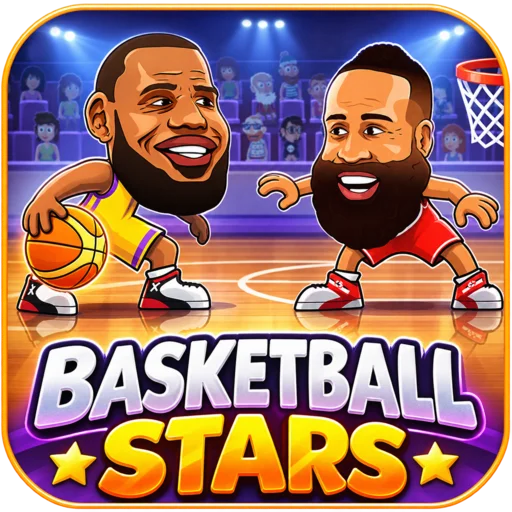



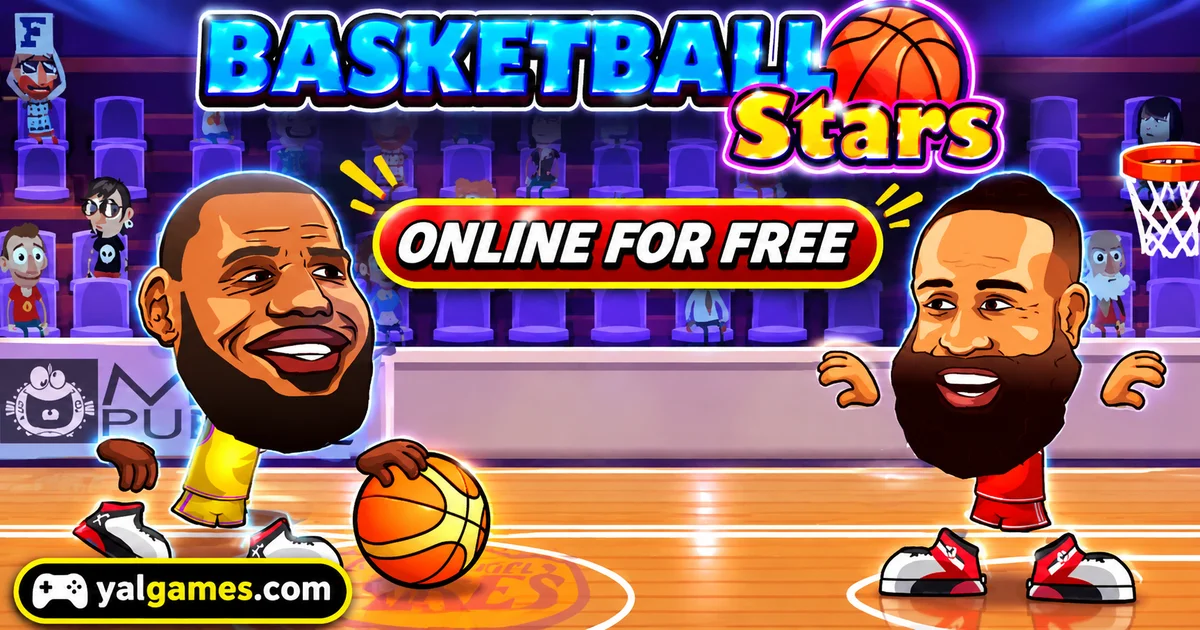
Play Basketball Stars online for free on YalGames and step onto the court for fast-paced basketball matches filled with spectacular dunks, quick steals, and last-second shots. Choose your team, face a computer opponent, or challenge a friend in local two-player mode. With only 60 seconds on the game clock, every possession matters, and one well-timed move can completely change the score.
Created by MadPuffers, Basketball Stars combines familiar basketball moves with colorful 2D arcade gameplay. You can jump to block a shot, dash past a defender, steal the ball, and charge a powerful SuperShot when you need an advantage. The controls are easy to learn, but winning consistently takes good positioning, smart timing, and quick decisions on both sides of the court.
Ready to show off your basketball skills? Start the game above, pick your favorite mode, and see how many baskets you can score before the final buzzer.
One Minute to Win the Game
Basketball Stars is a browser-based basketball game developed by MadPuffers, the studio also known for games such as Moto X3M and Basketball Legends. Released in May 2019, it brings basketball competition into short matches featuring cartoon-style players and exaggerated athletic moves.
Instead of managing a complete basketball team, you control the action directly. You decide when to move, jump, shoot, steal, block, or use a special move.
The objective is straightforward: finish the match with more points than your opponent.
Most standard matches use a 60-second game clock, making every decision important. You don't have much time to recover from repeated mistakes, but a good defensive play can quickly create another scoring opportunity.
Depending on the selected mode, you can compete in one-on-one contests or two-on-two matches. The game also offers different ways to practice and play with friends.
Your First Possession: Getting Past the Defender
Imagine you've just gained possession of the ball. Your opponent is standing between you and the basket, waiting for your next move.
Rushing forward and shooting immediately might work occasionally, but a more deliberate approach can create better opportunities.
Move Into a Better Position
Use the movement controls to approach the basket while watching how the defender reacts.
If your opponent moves toward you too aggressively, changing direction may create enough space to get past them.
Basketball Stars rewards quick movement, but running around without a plan can make it easier for the defender to anticipate your next action.
Use the Dash to Create Space
Double-tapping a movement direction activates a dash in the standard desktop version.
This short burst of movement can help you get around an opponent or respond quickly when possession changes.
Try using a dash when your defender is slightly out of position rather than activating it repeatedly without a clear purpose.
Choose the Right Moment to Shoot
Once you're close enough to create a good opportunity, jump and attempt a shot or dunk.
Shots taken from more favorable positions can be harder for opponents to block. However, moving too close without preparing for a defender's reaction may lead to a stolen ball.
The key is balancing speed with timing. Create an opening, take your shot, and be ready to defend if possession changes.
Good Defense Can Win a Close Match
Basketball isn't only about making baskets. In Basketball Stars, stopping an opponent at the right moment can be just as valuable as scoring.
The short match format makes defense especially important because a successful steal or block can quickly turn into points at the other end.
Watch the Opponent's Movement
Rather than constantly chasing the ball, pay attention to where your opponent is going.
If they're approaching the basket, position yourself to challenge the shot. If they begin moving away, avoid following blindly and leaving an easy route open.
Steal When the Opportunity Appears
The steal action lets you challenge an opponent who has possession.
Timing matters. Attempting a steal when the other player is nearby and vulnerable is more useful than pressing the button repeatedly from a poor position.
A successful steal can give you an immediate chance to attack.
Block the Shot, Not Just the Player
When your opponent prepares to shoot, try positioning yourself between them and the basket.
A well-timed jump or defensive block can prevent an easy score. But jumping too early may allow the other player to shoot after you've committed.
Pay attention to how opponents prepare their shots, and practice reacting at the right moment.
Use a Pump Fake to Draw a Reaction
The game includes a pump action that can help create uncertainty for defenders.
By making your opponent react before you commit to a real shot, you may be able to create space for a better scoring opportunity.
This is especially useful against players who jump or attempt blocks too quickly.
The SuperShot Can Change Everything
One of the game's most recognizable mechanics is the SuperShot, a special move connected to a charge indicator displayed during matches.
Once the ability becomes available, you can activate a powerful scoring move associated with your selected character.
Different characters may feature special abilities or animations, giving the roster more personality than ordinary basketball players.
Should You Use It Immediately?
Not necessarily.
Imagine you're leading by several points with plenty of time left. Using your charged special move immediately might give you another basket, but saving it could provide an advantage later.
Now imagine the opposite situation: you're losing near the end of the match and need a quick score.
A ready SuperShot may be your best opportunity to change the result before the clock expires.
There isn't one right moment for every match. Consider the current score, remaining time, and how the opponent is defending.
Don't Depend on Special Moves Alone
A SuperShot is a valuable ability, but it won't replace good movement and defense.
If you allow your opponent to score repeatedly, one special basket may not be enough to recover.
Build a solid foundation with ordinary shots, steals, and blocks, then use your special ability when it offers a meaningful advantage.
Find the Basketball Stars Mode That Fits You
The standard MadPuffers browser game provides several modes, allowing you to practice alone or enjoy matches with another person on the same device.
Quick Match
Quick Match is a convenient choice when you want to start playing without working through a full tournament.
It offers a fast route into a basketball contest, making it useful for short sessions and practicing the basic mechanics.
In the standard browser game, Quick Match should not be confused with verified online matchmaking against random players worldwide.
Tournament Mode
Tournament Mode gives you a longer challenge by placing you in a series of matches against computer-controlled opponents.
The goal is to keep winning and advance through the competition.
Unlike a single quick match, a tournament encourages consistency. One strong performance isn't enough if you lose your next game.
Try using the early matches to understand how opponents behave, then adjust your approach as the competition becomes more demanding.
Training Mode
If you're still getting comfortable with the controls, Training Mode is a useful place to begin.
Practice moving around the court, timing your shots, and becoming familiar with defensive actions before entering a more competitive match.
Even a few minutes of focused practice can make the controls feel more natural.
Two-Player Mode
Basketball Stars also supports local two-player gameplay, allowing two people to share the same computer and keyboard.
You can compete against one another in a 1v1 match or explore available 2v2 formats.
Supported cooperative options also let two human players join forces against computer-controlled opponents.
This makes the game particularly enjoyable for friends who want a quick basketball competition without needing two separate computers.
Basketball Stars Controls for PC
The keyboard controls depend on whether you're playing alone or sharing the game with another person.
Below are the standard controls documented for the MadPuffers browser version. If your hosted version uses a different layout, follow its in-game instructions.
Single-Player Controls
| Action | Keyboard Control |
|---|---|
| Move left or right | Left / Right Arrow Keys |
| Jump or shoot | Up Arrow |
| Pump or block | Down Arrow |
| Steal the ball | X |
| Activate SuperShot | Z |
| Dash | Double-tap Left or Right |
Two-Player Controls
| Action | Player 1 | Player 2 |
|---|---|---|
| Move left / right | Left / Right Arrows | A / D |
| Jump or shoot | Up Arrow | W |
| Pump or block | Down Arrow | S |
| Steal | L | B |
| SuperShot | K | V |
| Dash | Double-tap movement direction | Double-tap movement direction |
If you're playing against a friend, check both control layouts before the match starts. Getting familiar with the keys will make it easier to focus on the actual basketball competition.
How to Turn a Close Game Into a Win
When both players understand the controls, winning often comes down to small decisions rather than complicated combinations.
When You're Ahead
Suppose you have a narrow lead with only a few seconds remaining.
You don't necessarily need to attempt another difficult shot. Instead, focus on protecting your advantage and avoiding unnecessary turnovers.
Stay aware of the opponent's position, defend carefully, and avoid giving them an easy opportunity to score.
When You're Behind
If you're losing, the strategy changes.
You need to create scoring chances quickly, but rushing every action can lead to more mistakes.
Look for a well-timed steal, use your dash to reach a useful position, and check whether your SuperShot is available.
A controlled attack can be more effective than repeatedly attempting difficult shots from unfavorable positions.
When the Score Is Tied
A tied game puts extra pressure on every possession.
Pay attention to the timer and try to avoid giving the opponent an easy basket.
If your version includes an overtime period, use the same principles: protect the ball, stay positioned between your opponent and the hoop, and take clear scoring opportunities.
Five Basketball Habits Worth Practicing
Improvement comes from recognizing situations and responding consistently.
- Get comfortable with the dash: Practice using short bursts of movement to create space or close the distance to an opponent.
- Watch the ball: Possession can change quickly, so be ready to switch from attacking to defending.
- Time your jumps: Avoid jumping too early when trying to block an opponent's shot.
- Use pump fakes thoughtfully: Try forcing defenders to react before you make a real scoring attempt.
- Keep track of the clock: A good decision with ten seconds remaining may be different from the best move at the beginning of a match.
Try concentrating on one of these skills during each practice session. Once it becomes comfortable, move on to another.
Cartoon Basketball With Familiar Stars
Basketball Stars uses exaggerated character designs inspired by recognizable professional basketball players.
Rather than aiming for realistic proportions, the game gives its players oversized heads, dramatic movements, and entertaining special actions.
The roster and team presentation add personality to the matches, while the fast arcade controls keep the emphasis on direct gameplay.
Different character selections may offer different special moves, so it's worth exploring the available roster and finding a style you enjoy.
The game is not an official NBA simulation, and the character designs should not be interpreted as evidence of an NBA license or endorsement.
Basketball Stars vs Basketball Legends
Basketball Stars and Basketball Legends are related browser basketball titles from MadPuffers.
Both focus on accessible arcade basketball with familiar actions such as shooting, jumping, blocking, stealing, and performing special moves.
Their differences depend on the particular edition, including roster choices, visual presentation, and available features.
If you enjoy the short matches and competitive play in Basketball Stars, another MadPuffers basketball title may be a natural game to explore next.
Play Basketball Stars Online on YalGames
You can start Basketball Stars directly in your browser on YalGames without installing a separate desktop application.
Open the game above, select an available mode, and follow the instructions to enter the court.
The browser format makes it convenient for quick matches, whether you want to practice against computer opponents or share a keyboard with a friend.
Game availability and performance depend on your browser, device, and the particular version hosted on this page.
Can You Play Basketball Stars on Chromebook?
The MadPuffers browser game can run on compatible Chromebooks with a modern browser and suitable performance.
Because the standard desktop version uses keyboard controls, a Chromebook with a physical keyboard can be a practical way to play.
If the game runs slowly, close unnecessary tabs and check that your browser is up to date.
Does Basketball Stars Work on Mobile?
Supported browser versions provide touchscreen controls for movement and basketball actions.
However, the mobile interface may differ from the desktop controls, and not every hosted version includes the same touch features.
For local two-player matches, a computer with a keyboard is generally the more practical option.
Is Basketball Stars Free and Unblocked?
You can start the browser game on YalGames for free, without purchasing a separate game or installing desktop software.
Some players search for Basketball Stars unblocked because they want a browser-accessible basketball game.
However, schools, workplaces, and other networks may restrict gaming websites. Access depends on local network settings and policies, so no site can guarantee the game will work everywhere.
Do You Need to Download Basketball Stars?
No separate download is required for the browser version featured on YalGames.
Be aware that another game called Basketball Stars is available on mobile devices from Miniclip. That is a different basketball title, not the same 2D browser game developed by MadPuffers.
If you're looking for the cartoon-style browser experience described here, make sure you're choosing the MadPuffers game rather than an unrelated mobile release with a similar name.
Basketball Stars by MadPuffers vs Miniclip
The shared title can be confusing because MadPuffers and Miniclip have produced different basketball games called Basketball Stars.
| MadPuffers Basketball Stars | Miniclip Basketball Stars |
|---|---|
| 2D arcade-style basketball | 3D mobile basketball experience |
| Browser-based gameplay | Dedicated mobile application |
| Local two-player mode on one computer | Online competitive mobile features |
| Short matches with stealing, blocking, and special shots | Different shooting and competitive progression systems |
| Developed by MadPuffers | Developed by Miniclip |
Both games are built around basketball, but their controls, visual styles, and progression systems are different.
Is Basketball Stars Suitable for Younger Players?
The MadPuffers browser game presents basketball through colorful cartoon characters and exaggerated sports moves rather than realistic violence.
Its straightforward objective and short matches make the basic gameplay easy to understand.
The local two-player option can also be enjoyable for friends or family members sharing the same device.
Parents should still review the game page, advertisements, and any external features to decide whether the experience is appropriate for their children.
Age ratings and content considerations may differ between the MadPuffers browser game and similarly named mobile applications.
More Sports Games to Explore
If you enjoy fast matches, competitive challenges, and games where timing matters, explore our Sports Games category on YalGames.
Basketball Stars is a good starting point for arcade basketball fans, but there are other sports-inspired experiences worth discovering.
- Basketball Legends: Another arcade basketball title from MadPuffers, featuring familiar shooting and special-move mechanics.
- Basketball Superstars: A basketball game focused on shooting and player progression.
- Basketball Random: A physics-based basketball challenge where movement can be unpredictable.
- Football Legends: Competitive football gameplay featuring exaggerated characters and arcade controls.
- Soccer Random: A simple two-player football game built around unusual physics and quick matches.
These games offer different approaches to sports gameplay, from traditional basketball competition to humorous physics-based challenges.
Frequently Asked Questions About Basketball Stars
What is Basketball Stars?
Basketball Stars is a 2D arcade basketball game developed by MadPuffers. Players compete in short matches featuring shooting, dunking, stealing, blocking, and special moves.
Who developed Basketball Stars?
The browser version described here was developed by MadPuffers, the studio also known for Moto X3M and Basketball Legends.
When was Basketball Stars released?
Poki lists May 2019 as the release date of the MadPuffers browser game.
How do you win a Basketball Stars match?
Score more points than your opponent before the match clock runs out. Most standard matches use a 60-second game clock.
Can you play Basketball Stars with two players?
Yes. The standard browser version includes a local two-player mode where friends can compete using the same computer and keyboard.
Does Basketball Stars have a 2v2 mode?
Yes. Supported two-player modes include 2v2 matches with computer-controlled teammates and cooperative games against CPU opponents.
Is Quick Match online multiplayer?
Quick Match provides a fast way to start a game, but the documented MadPuffers browser version does not establish worldwide online matchmaking as a standard feature.
What is the SuperShot?
The SuperShot is a charged special move that lets your selected character perform a powerful scoring action when the ability becomes available.
How do you activate the SuperShot?
In standard single-player desktop controls, press Z when the SuperShot is ready. In two-player mode, the commonly documented keys are K for Player 1 and V for Player 2.
How do you steal the ball?
Move close to the player in possession and use the assigned steal key. In standard single-player controls, this is X.
Can you play Basketball Stars on a Chromebook?
Yes, the browser game can run on compatible Chromebooks. Performance depends on the device, browser, and hosted version.
Is Basketball Stars free to play?
Yes. You can launch the browser version on YalGames for free without installing a separate application.
Can I play Basketball Stars on my phone?
Some browser versions include touchscreen controls for mobile devices. Compatibility varies depending on the device and hosted game version.
Is Basketball Stars the same as the Miniclip game?
No. MadPuffers' Basketball Stars is a 2D browser sports game, while Miniclip's Basketball Stars is a separate 3D mobile basketball title.
Does Basketball Stars have Tournament Mode?
Yes. The MadPuffers browser game includes Tournament Mode, where players attempt to progress through a series of basketball matches.
Do you need to download Basketball Stars?
No. You can play the browser version directly on YalGames without installing a separate desktop game.
Make Every Possession Count
Basketball Stars captures the excitement of basketball in a quick arcade format where every steal, block, and shot can affect the result.
You don't need to master complicated rules to begin. Learn the controls, practice your timing, and pay attention to how your opponents move around the court.
Whether you're competing in a tournament, practicing your SuperShot, or challenging a friend on the same keyboard, every match gives you another chance to improve.
Play Basketball Stars on YalGames, take control of the court, and see whether you can finish ahead when the final buzzer sounds.