



Play Table Tennis Challenge online for free on YalGames and step up to the ping pong table for an exciting test of speed, accuracy, and timing. Move your paddle with the mouse or touchscreen, return the incoming ball, and aim your shots toward the corners to make your opponent work harder. Choose a country, compete against computer-controlled players, and collect trophies as you progress through a worldwide table tennis tournament.
Also known as Table Tennis World Tour, this 3D sports game turns a simple paddle movement into a surprisingly satisfying challenge. Every swipe affects the speed and direction of your shot, giving you opportunities to hit powerful smashes, attempt tricky angles, and keep long rallies alive. The controls are easy to learn, but experienced opponents will test how well you can read the ball and react under pressure.
Ready for your first match? Start Table Tennis Challenge above, select your country, and prepare to serve. Keep your eyes on the ball, move your paddle into position, and see how many victories you can earn on your journey to the championship.
What is Table Tennis Challenge?
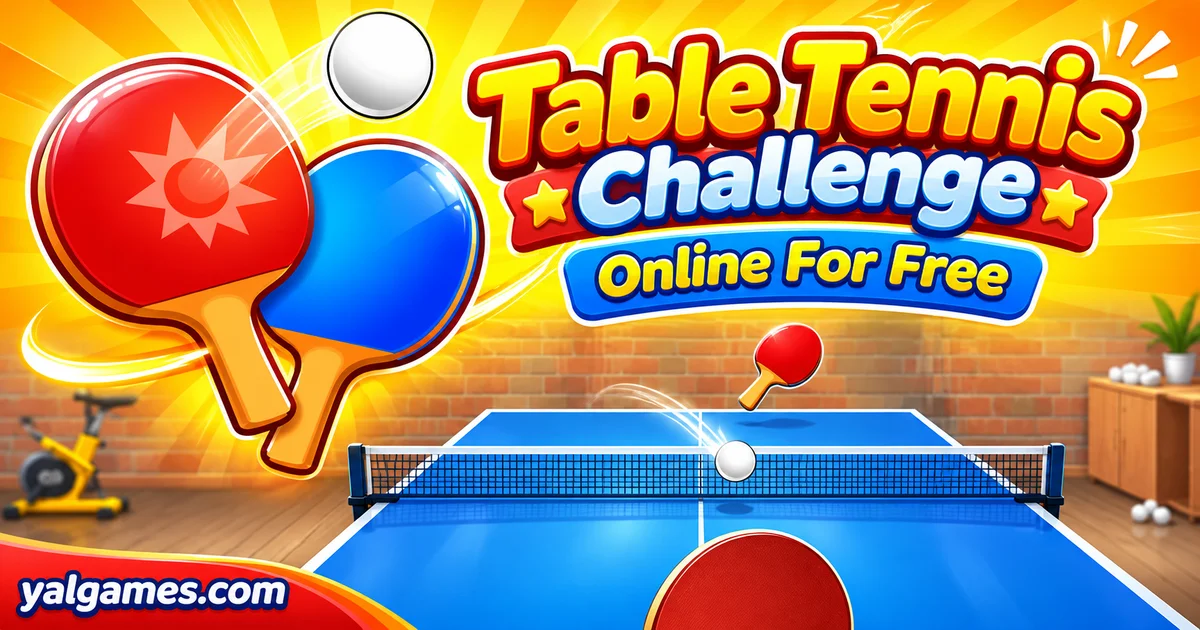
Table Tennis Challenge is a browser-based ping pong game that lets you compete in a series of international table tennis matches. The version featured on YalGames is based on the HTML5 game Table Tennis World Tour, developed by Happylander and distributed by Famobi.
The game recreates the basic excitement of table tennis through a 3D perspective and responsive paddle controls. Instead of pressing several buttons to perform different shots, you use the movement of your mouse or finger to position the paddle and guide the ball across the table.
Your objective is to win matches against computer-controlled opponents, earn trophies, and advance through a world tour featuring different countries.
According to Famobi's game catalogue, the World Tour includes 20 countries and 60 opponents. Each stage introduces another opportunity to test your paddle control and improve your shot placement.
Although the tournament features countries from around the world, you're playing against AI opponents rather than being automatically matched with real players online.
Table Tennis Challenge Gameplay
Each rally begins with a serve. Once the ball is in play, both sides exchange shots, trying to keep their returns on the table while forcing the other player into a mistake.
You control a virtual table tennis paddle. Moving it toward the incoming ball allows you to make contact, while the speed and direction of your movement influence the resulting shot.
A gentle movement can produce a controlled return, while a faster swipe may create a more powerful strike.
The challenge is finding a balance between hitting hard and keeping the ball on the opponent's side of the table.
How Do You Score Points?
You earn a point when your opponent fails to make a legal return. This might happen because they miss the ball, hit it into the net, or send it outside the table.
However, the same rules apply to your shots. If you return the ball incorrectly, your opponent receives the point.
Matches follow the standard table tennis scoring format:
- A player needs at least 11 points to win.
- The winner must lead by at least two points.
- If the score reaches 10–10, play continues until someone leads by two points.
- Players normally alternate serving after every two points.
- After deuce, the serve changes after every point.
For example, a score of 11–9 ends the match, but 11–10 does not. At 10–10, a player could win 12–10, 13–11, or another score that creates a two-point lead.
How Does the World Tour Work?
Before beginning your tournament, select the country you want to represent.
The game presents a world map containing tournament destinations. Winning matches allows you to advance through the competition and collect trophies.
In the commonly hosted edition, each tournament stop includes a series of six matches. Complete the required matches to earn the trophy and unlock the next destination.
The opponents become more demanding as you progress, making it increasingly important to develop accurate returns and control your paddle movements.
Platform
You can play Table Tennis Challenge directly in your web browser, whether you're using a desktop computer, laptop, tablet, or compatible mobile device.
The HTML5 version supports modern browsers such as Google Chrome, Mozilla Firefox, Microsoft Edge, Safari, and Opera, subject to device compatibility.
Desktop players can control the paddle with a mouse, while touchscreen versions allow you to move it using your finger.
The game also has officially distributed mobile applications under the Table Tennis World Tour name. Their features and presentation may differ slightly from the browser edition.
How to Play Table Tennis Challenge?
Getting started is straightforward. The challenge comes from learning how the paddle reacts to your movements and using that control to place shots accurately.
- Start the game: Open Table Tennis Challenge on YalGames and wait for the main menu.
- Choose your country: Select a national flag to represent during the World Tour.
- Enter your first match: Begin the tournament against a computer-controlled opponent.
- Position your paddle: Move your mouse or finger toward the incoming ball.
- Return the serve: Meet the ball with your paddle and direct it toward the opponent's side.
- Change your shot direction: Adjust the angle and speed of your swipe to vary your returns.
- Win the rally: Make your opponent miss or hit an invalid return while keeping your own shots in play.
- Reach the winning score: Earn at least 11 points with a two-point advantage.
- Collect trophies: Complete the tournament's required matches to advance to the next destination.
At first, concentrate on making reliable contact rather than attempting difficult shots.
Once you feel comfortable returning the ball, experiment with angles, speed, and placement to make the rallies more challenging for your opponents.
Controls
Table Tennis Challenge uses an intuitive swipe-based control system. You don't need a separate keyboard button for every type of shot.
Desktop Controls
| Action | Control |
|---|---|
| Move the paddle | Move or drag the mouse |
| Return the ball | Move the paddle into the ball's path |
| Direct a shot | Change the angle of your mouse movement |
| Hit a stronger shot | Use a faster paddle movement |
| Select a country or menu option | Left mouse click |
Some hosted versions describe the paddle control as holding and dragging the left mouse button. Follow the instructions displayed in your particular game window.
The paddle makes contact automatically when it meets the incoming ball correctly, so there's no dedicated swing key to memorize.
Mobile and Tablet Controls
| Action | Touch Control |
|---|---|
| Move the paddle | Slide your finger across the screen |
| Hit the ball | Swipe the paddle through its path |
| Change direction | Adjust your swipe angle |
| Increase shot power | Swipe more quickly |
| Choose menu options | Tap the screen |
On smaller screens, avoid covering the ball with your finger while preparing a return. A clear view of the incoming shot will make it easier to react.
Tips and Tricks for Table Tennis Challenge
Winning consistently requires more than moving your paddle as fast as possible. Good players prepare their returns early, control their shot direction, and recognize when to attack or defend.
1. Watch the Ball Before Moving Your Paddle
The first step to a good return is understanding where the ball is going.
Follow its path as it crosses the net and estimate where you'll need to position your paddle.
Moving too early in the wrong direction can be just as costly as reacting too late.
2. Return Toward the Open Side of the Table
If your opponent is positioned toward one side, try sending the ball toward the opposite corner.
This forces them to move farther and may create an opportunity to win the rally.
Don't aim so close to the edge that your shot goes out. Controlled placement is generally more reliable than an extreme angle.
3. Use Different Shot Speeds
Powerful shots can put your opponent under pressure, but hitting every ball with maximum force isn't always effective.
Mix stronger strikes with slower, more controlled returns.
Changing the pace may make it harder for the AI to anticipate your next shot.
4. Practice Diagonal Returns
A diagonal shot can move your opponent away from the center of the table.
Try changing the angle of your paddle as you make contact, but keep the movement controlled.
With practice, you'll learn how much angle is needed to reach different parts of the table without sending the ball wide.
5. Recover After Every Hit
Don't leave your paddle at the far edge of the table after making a shot.
Return toward a useful central position so you're ready for the opponent's response.
This becomes especially important against stronger AI opponents who can direct shots toward the space you've left open.
6. Learn When to Use Spin
Table Tennis World Tour includes physics-based paddle interactions that allow you to influence the ball's movement.
Changing the direction of your swipe can create different types of returns, including spin-style shots and more aggressive angled strikes.
Start with modest movements before attempting difficult spin combinations.
7. Play Safely at 10–10
When the score reaches deuce, every point becomes important.
You need a two-point lead to finish, so a careless mistake can immediately give your opponent an advantage.
Prioritize shots you can control instead of attempting an extremely difficult winner on every rally.
8. Adjust to Stronger Opponents
The World Tour becomes more challenging as you progress.
A strategy that works against an early opponent may be less effective later.
Observe whether your next rival struggles with wide shots, quick returns, or changes in pace, and adapt your approach accordingly.
9. Avoid Last-Second Swipes
Waiting until the ball nearly reaches the paddle gives you very little time to correct your movement.
Prepare your return early, then make a controlled adjustment as the ball approaches.
This is particularly useful during fast rallies where hesitation can lead to an immediate missed shot.
10. Practice Accuracy Before Power
During your first few matches, try keeping several consecutive returns on the table without taking unnecessary risks.
Once you can maintain a rally reliably, begin aiming for the corners and experimenting with faster shots.
Building accuracy first makes aggressive play easier to control.
Features of Table Tennis Challenge
Table Tennis Challenge combines straightforward controls with an international tournament structure that gives players plenty of opportunities to improve.
- 3D table tennis gameplay: Compete in visually engaging ping pong matches with physics-based ball movement.
- World Tour competition: Represent a country and progress through different tournament destinations.
- 20 countries: Choose from national teams featured in the original Famobi catalogue.
- 60 opponents: Challenge computer-controlled competitors as you advance through the tour.
- Realistic scoring rules: Win by reaching at least 11 points with a two-point lead.
- Increasing difficulty: Face more demanding AI opponents as your tournament progresses.
- Swipe-based paddle control: Direct shots using mouse movements or touchscreen gestures.
- Powerful smashes: Use quick paddle movements to send faster returns.
- Spin and angled shots: Experiment with shot placement to challenge the opponent.
- Trophy progression: Complete tournaments and unlock new stages.
- HTML5 technology: Play directly through compatible web browsers.
- Desktop and mobile support: Enjoy the game on supported computers, phones, and tablets.
The game focuses on skill-based matches against AI opponents. Features such as live online matchmaking or local two-player competition should not be assumed unless they are specifically included in the version you're using.
Table Tennis Challenge Online for Free
Table Tennis Challenge Online
You can play Table Tennis Challenge online directly on YalGames without installing a separate computer game.
The version featured on our website brings the Table Tennis World Tour experience to compatible browsers, allowing you to compete in ping pong matches with mouse or touchscreen controls.
Simply open the game above, select your country, and start the tournament.
The HTML5 game is designed for browsers such as Google Chrome, Mozilla Firefox, Microsoft Edge, Safari, and Opera, although performance depends on your device and browser version.
Because the game runs through a web page, you can begin playing without setting up a separate application or creating a full gaming account.
Table Tennis Challenge for Free
You can enjoy Table Tennis Challenge for free on YalGames without purchasing the browser game.
The main experience lets you compete against computer-controlled opponents, practice your shots, and work toward tournament victories.
YalGames provides its collection of browser games for free play, making it easy to explore different challenges without an upfront game purchase.
Advertisements may appear on the website, and separately distributed mobile apps can have their own advertising or optional purchase systems.
Can You Play Table Tennis Challenge Unblocked?
Table Tennis Challenge can be played through YalGames when the website and its game resources are accessible on your network.
Because it's a browser-based game, you don't need to install separate software just to start playing.
Some players search for Table Tennis Challenge unblocked when using a school Chromebook, workplace computer, or another shared device.
However, gaming websites may be restricted by schools, workplaces, or public networks. No website can guarantee access through every network filter.
If playing games is permitted on your connection, open YalGames, launch Table Tennis Challenge, and enjoy a quick match during an appropriate break.
Table Tennis Challenge Download
Many players enjoy the convenience of browser games, but others prefer installing their favorite sports games on a phone or tablet.
The original game is officially distributed under the name Table Tennis World Tour, so use that title when looking for the corresponding mobile version.
Table Tennis Challenge Download for Android
Android users can find the Famobi mobile edition on Google Play under the title Table Tennis 3D Ping Pong Game.
Visit the official Google Play listing, review the developer information, and check whether your device is compatible.
If the app is available for your device and region, tap Install to download it.
The installed Android version may offer a slightly different interface or features compared with the browser game.
Table Tennis Challenge for iPhone and iPad
Apple users can find the official Famobi game under the name Table Tennis World Tour.
Open the Apple App Store listing on a compatible iPhone or iPad.
Check the app requirements and tap Get to install it if it's available in your region.
The App Store lists the game as free with optional in-app purchases, so the installed version may have a different monetization model from browser play.
Table Tennis Challenge APK for Android
Some Android players search for a Table Tennis Challenge APK when they cannot access Google Play.
An APK is an Android installation package. Although Android supports this file format, downloading game packages from unknown websites can expose your device to modified apps, unwanted permissions, or malicious software.
For that reason, we recommend using Google Play or another official source provided by the game publisher whenever possible.
If the official application isn't compatible with your device, the browser version on YalGames may be a convenient alternative.
Can You Download Table Tennis Challenge on PC or Steam?
You don't need to download Table Tennis Challenge to play on your computer.
The HTML5 browser edition runs directly on compatible desktop systems through YalGames.
There are other table tennis games available through Steam, but an official Steam edition of this specific Famobi Table Tennis World Tour game hasn't been verified here.
If you want the browser experience described in this article, simply open the game page and begin playing without installing a separate PC application.
Similar Games to Table Tennis Challenge
If you enjoy Table Tennis Challenge and want to try more sports games where accuracy, timing, and smart decisions matter, check out these titles on YalGames:
- Pool Club – Aim your shots, control the cue ball, and pocket balls in a fast-paced billiards challenge.
- Basketball Stars – Shoot, block, steal, and challenge opponents in exciting arcade basketball matches.
- Basket Random – Enjoy unpredictable basketball action with funny physics and simple controls.
- Champions FC – Guide your football team, create scoring opportunities, and compete in quick 3D soccer matches.
You can also explore the Sports Games category for more browser-based sports challenges.
FAQs About Table Tennis Challenge
What is Table Tennis Challenge?
Table Tennis Challenge is a 3D browser ping-pong game where players compete against AI opponents, control a paddle with mouse or touch gestures, and progress through international tournaments.
Is Table Tennis Challenge the same as Table Tennis World Tour?
The version featured on YalGames is based on Table Tennis World Tour, the HTML5 game distributed by Famobi. Other games may also use the name Table Tennis Challenge.
Who developed Table Tennis Challenge?
Happylander is credited with developing Table Tennis World Tour, while Famobi distributes the browser game and publishes associated mobile editions.
Is Table Tennis Challenge free to play?
Yes. You can play the browser version on YalGames for free without purchasing or installing a separate application.
How do you control the paddle?
Move or drag your mouse on a computer, or swipe on a compatible touchscreen device. The paddle makes contact with the ball when positioned correctly.
Do you need a button to hit the ball?
No separate swing button is required in the standard World Tour controls. Moving the paddle into the ball's path allows you to return the shot.
How many points do you need to win?
You must score at least 11 points and lead by two points. At 10–10, the match continues until someone establishes a two-point advantage.
What happens at 10–10 in table tennis?
The match enters deuce. Players alternate serves after each point, and the first player to lead by two points wins.
How do you hit stronger shots?
Move your paddle more quickly when making contact with the ball. Faster movements can produce more powerful returns, although accuracy is still important.
How do you perform spin shots?
Change the direction of your paddle movement as it contacts the ball. Practice smaller angled swipes before attempting more aggressive spin-style returns.
Can you choose your country?
Yes. Table Tennis World Tour allows you to select a country to represent during the international tournament campaign.
How many opponents are in the World Tour?
Famobi's catalogue describes a tour featuring 60 opponents across 20 countries.
How do you unlock new tournaments?
Win the required matches at your current destination to earn a trophy and progress to the next stage of the World Tour.
Are the opponents real online players?
No. The standard World Tour campaign features computer-controlled opponents representing different countries.
Can I play Table Tennis Challenge on my phone?
Yes. Compatible browser versions support touch controls on mobile devices, and official mobile applications are available for Android and iOS.
Does Table Tennis Challenge work on Chromebook?
The HTML5 browser edition can run on compatible Chromebooks. Performance depends on the hardware, browser, and available resources.
Can I download Table Tennis Challenge from Google Play?
Yes. Famobi publishes the related Android game as Table Tennis 3D Ping Pong Game on Google Play.
Is Table Tennis Challenge available on iPhone?
Yes. The official Table Tennis World Tour mobile edition is available through the Apple App Store for compatible devices.
Can I play Table Tennis Challenge unblocked at school?
You can play the browser game when your school network allows access to YalGames and its game resources. Access is not guaranteed on restricted connections.
What is the best strategy for winning more matches?
Prepare your paddle early, aim toward open areas of the table, recover after every return, and use controlled shot placement instead of relying only on maximum power.
Conclusion
Table Tennis Challenge turns a familiar sport into an entertaining test of reflexes, concentration, and paddle control. The simple swipe mechanic makes it easy to begin, while angled shots, spin, and increasingly skilled opponents give you plenty of reasons to keep practicing.
Every match offers an opportunity to improve. You might win a rally with a powerful smash, force an opponent into a difficult corner, or save a crucial point with a carefully timed return.
Choose your country, work your way through the World Tour, and collect trophies as your skills improve.
Play Table Tennis Challenge online for free on YalGames, grab your virtual paddle, and see if you can become the next ping pong champion!
Table Tennis Challenge