
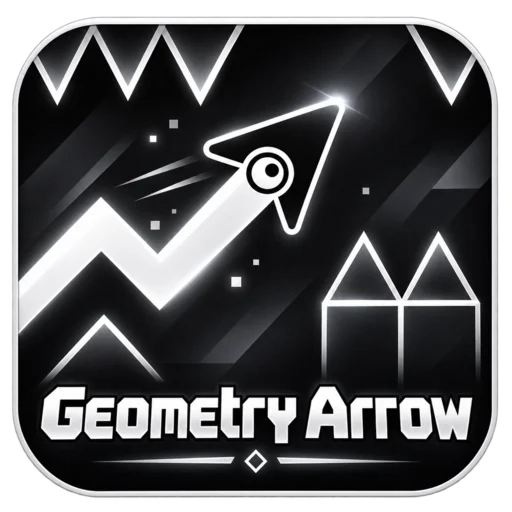







Play Geometry Arrow online for free on YalGames and guide a fast-moving arrow through dangerous corridors packed with spikes, walls, and narrow openings. Your arrow travels forward automatically, and a single press changes its direction. Hold to climb, release to descend, and carefully adjust your movement to reach the exit without crashing.
Inspired by the Wave mode of Geometry Dash, this reflex-based platform game turns one simple control into a challenging test of precision. Every obstacle demands the right timing, and even a small mistake can send you back to the beginning. With six increasingly difficult levels, you'll need patience, quick reactions, and a good sense of rhythm to make it through.
Start with the first course, get comfortable with the arrow's zigzag movement, and see whether you can reach the glowing portal. The controls are simple, but mastering them is another story.

One Button Controls Everything
The interesting thing about Geometry Arrow is how much you can accomplish with just one input. No complicated movement combinations, multiple weapons, or special abilities to memorize.
Your arrow moves automatically from left to right, following a diagonal path that changes according to whether you're pressing the control.
- Hold the button: The arrow climbs diagonally upward.
- Release the button: The arrow travels diagonally downward.
- Alternate between both: Create a controlled zigzag path through obstacles.
Although the controls look straightforward, the challenge comes from choosing exactly how long to hold or release.
Hold too long, and your arrow may fly into the ceiling. Release too early, and it can fall straight into a row of spikes.
To survive, you need to adjust your movement continuously while watching the corridor ahead.
Why Your Zigzag Pattern Matters
Geometry Arrow isn't about clicking as quickly as possible. It's about understanding how each press changes your position.
Imagine entering a narrow tunnel with spikes covering the floor and ceiling. Your arrow is moving forward, leaving very little room for error.
If you keep holding the button, you'll rise too high. If you release it for too long, you'll drop toward the bottom of the passage.
The solution is to combine short upward movements with equally controlled descents.
Wide Corridors Give You Room to Learn
When the passage is open, experiment with longer presses and observe the arrow's movement.
Try creating a steady zigzag pattern without approaching the walls too closely. This helps you understand how much distance the arrow covers during each press.
Narrow Corridors Demand Smaller Corrections
As the available space becomes tighter, long movements become risky.
Instead of making large adjustments, try using short presses followed by brief releases. These smaller corrections help keep the arrow within a safer path.
The exact timing depends on the shape of the corridor, so pay attention to the next opening rather than relying on a fixed clicking speed.
Six Levels, Each With a New Challenge
Geometry Arrow features six levels that gradually increase the demands on your timing and control.
The opening stages allow you to understand the movement system, while later courses introduce tighter spaces and more difficult obstacle arrangements.
Rather than adding complicated mechanics, the game builds difficulty through the design of its levels.
Learning the Movement
At the beginning, your priority should be getting familiar with the arrow's diagonal motion.
Don't worry about finishing every section perfectly on your first attempt. Focus on recognizing how the arrow reacts when you press and release the control.
Dealing With Tighter Obstacles
As the courses become more demanding, you'll encounter sections where spikes and walls leave only a narrow path.
These passages require more careful adjustments. A movement that worked in an earlier level may be too large for the space available.
Memorizing Difficult Sections
The obstacle layouts remain consistent between attempts, so you can gradually learn where dangerous turns appear.
When you reach a difficult section, remember whether the next movement requires a climb, a descent, or a quick correction.
Each failed attempt provides information you can use on the next run.
How to Get Through a Difficult Passage
One of the most frustrating moments in Geometry Arrow is reaching a narrow corridor after several successful sections, only to crash because your timing was slightly off.
Instead of immediately repeating the same movement, try understanding exactly why the collision happened.
Step 1: Identify the Dangerous Edge
Look at the obstacles surrounding the passage. Is the ceiling the biggest threat, or does the arrow need to stay above a row of spikes?
Knowing where the danger is helps you choose a safer approach.
Step 2: Prepare Before Entering
Don't wait until the arrow is already inside the narrowest part of the corridor to adjust its position.
Begin moving toward the open space slightly earlier, using the previous section to align your path.
Step 3: Make Smaller Movements
Inside a tight passage, avoid holding the control longer than necessary.
Brief presses and releases can provide more accurate movement than large corrections.
Step 4: Watch the Exit
Keep your attention on the direction the corridor takes next.
You may need to begin climbing or descending before leaving the current section, especially when another obstacle appears immediately afterward.
Step 5: Adjust Your Next Attempt
If you crash, try changing one thing rather than completely altering your movement pattern.
For example, release slightly earlier or shorten an upward press. Small corrections are often enough to solve a difficult obstacle.
Geometry Arrow Controls for PC and Mobile
You don't need a complicated control setup to enjoy the game. Geometry Arrow is designed around a simple hold-and-release mechanic.
| Action | Control |
|---|---|
| Move upward diagonally | Hold left mouse button or Spacebar |
| Move downward diagonally | Release the control |
| Control the zigzag path | Alternate pressing and releasing |
| Move upward on touchscreen | Press and hold your finger |
| Move downward on touchscreen | Lift your finger |
| Restart after a collision | Use the game's restart option |
On a computer, a mouse or keyboard can make it easier to create small, controlled movements.
On touch-compatible devices, the same basic principle applies: keep your finger pressed to climb and release it to descend.
The exact interface may vary depending on the browser version you're playing.
Five Habits That Make You a Better Player
Geometry Arrow rewards consistency more than frantic input. Developing a few simple habits can help you progress through increasingly difficult courses.
1. Look Ahead, Not Just at Your Arrow
If you watch only your character, you may notice an obstacle too late to react.
Keep your attention slightly ahead of the arrow so you can anticipate upcoming turns and narrow openings.
2. Learn When to Release
Beginners often focus on pressing to move upward, but releasing is equally important.
A well-timed release allows the arrow to descend smoothly and prepare for the next part of the corridor.
3. Avoid Overcorrecting
When the arrow approaches a wall, you may feel tempted to hold the opposite movement for too long.
That can send you directly into another obstacle. Use shorter corrections when the space is limited.
4. Remember the Sections You've Already Cleared
Repeated attempts become more useful when you recognize the layout.
As you learn the early parts of a level, you can move through them more confidently and concentrate on the difficult section that stopped you previously.
5. Keep a Steady Pace
Rapid clicking isn't always better. Try matching your presses to the shape of the passage rather than rushing through every movement.
When you begin making repeated mistakes, taking a short break can help you return with better concentration.
What Makes Geometry Arrow Different From Geometry Dash?
Geometry Arrow takes inspiration from the Wave mechanic found in Geometry Dash, but it focuses almost entirely on that style of movement.
In Geometry Dash, players encounter different gameplay forms and mechanics across various levels. Depending on the version, these can include jumping cubes, flying ships, and other transformations.
Geometry Arrow simplifies the experience by centering the gameplay on a single diagonal-moving arrow.
The challenge isn't learning several character forms. It's developing precise control over one mechanic and applying it to increasingly demanding obstacle courses.
| Geometry Arrow | Geometry Dash |
|---|---|
| Focuses on arrow-based zigzag movement | Includes different gameplay forms |
| Hold to rise and release to descend | Controls vary by character form |
| Six increasingly difficult levels | Different levels and challenges depending on the version |
| Emphasizes precision through narrow corridors | Combines timing with multiple obstacle mechanics |
Geometry Arrow is an independently inspired game, not an official Geometry Dash release developed by RobTop Games.
Play Geometry Arrow Online Without Downloading
You can play Geometry Arrow directly through your browser on YalGames without installing a separate application.
Open the game above, select an available level, and begin guiding your arrow toward the exit.
The browser-based format makes it convenient for quick attempts, especially when you want to practice a difficult passage without setting up a separate game.
Can You Play Geometry Arrow on Mobile?
Touch-compatible versions support the same hold-and-release movement used on desktop.
Press your finger against the game area to move upward and release to descend. A larger screen may make it easier to see narrow corridors and anticipate obstacles.
Performance and touch support depend on the particular browser version and device.
Is Geometry Arrow Free?
Yes. You can start the browser game on YalGames for free without purchasing access or downloading a separate desktop application.
Can Geometry Arrow Be Played Unblocked?
Some players look for Geometry Arrow unblocked because they want to enjoy the game through a web browser.
However, access depends on the restrictions of your school, workplace, or network. Browser-based games aren't guaranteed to work on every restricted connection.
What If Geometry Arrow Won't Load?
If the game doesn't appear, refresh the page and check your internet connection.
You can also try updating your browser or closing unnecessary tabs.
If the game loads but the controls don't respond, click inside the game window before attempting to move the arrow.
More Games for Fans of Geometry Arrow
If you enjoy precise movement, difficult obstacles, and learning from repeated attempts, explore more Action Games on YalGames.
You may also enjoy these related challenges:
- Geometry Dash: Navigate dangerous obstacle courses where accurate timing and repeated practice are essential.
- Slope 2: Control a rolling ball through fast-moving 3D tracks while avoiding obstacles and sudden drops.
- Drive Mad: Test your patience and control as you guide vehicles through tricky courses filled with ramps and hazards.
Each game offers a different challenge, but all reward careful movement, concentration, and the determination to improve after a failed attempt.
Frequently Asked Questions About Geometry Arrow
What is Geometry Arrow?
Geometry Arrow is a reflex-based platform game where you guide an automatically moving arrow through obstacle-filled levels using a simple hold-and-release control system.
How many levels are in Geometry Arrow?
The version described here features six levels that gradually increase in difficulty.
How do you control the arrow?
Hold the left mouse button or Spacebar to move diagonally upward. Release the control to descend.
How do you win a Geometry Arrow level?
Guide your arrow through the entire course without touching obstacles and reach the portal at the end.
What happens if you crash?
Your current attempt ends, and you must restart the level using the game's available restart option.
Why is Geometry Arrow so difficult?
The arrow moves forward automatically, so you must control its vertical movement through precisely timed presses and releases. Narrow passages leave little room for mistakes.
What is the best strategy for narrow corridors?
Use short, controlled presses and releases while keeping your arrow away from the walls. Watch the path ahead so you can prepare for upcoming changes in direction.
Does Geometry Arrow have checkpoints?
The provided game description doesn't establish a checkpoint system. In the version described, collisions require restarting the attempt.
Is Geometry Arrow related to Geometry Dash?
Geometry Arrow is inspired by the Wave movement mechanic from Geometry Dash, but it is a separate game rather than an official RobTop release.
Can I play Geometry Arrow on my phone?
Touch-compatible versions let you hold the screen to climb and release to descend. Compatibility depends on your device and browser version.
Is Geometry Arrow free to play?
Yes. You can launch the browser game on YalGames for free without installing a separate application.
Do the obstacles move between attempts?
The courses described here use fixed obstacle layouts, allowing you to memorize difficult sections and adjust your timing on later attempts.
Can I slow down the arrow?
The arrow moves forward automatically. Your main control is changing its diagonal direction by pressing and releasing.
Can I download Geometry Arrow?
No separate download is necessary to play the browser version on YalGames. Availability of standalone applications depends on the publisher and platform.
Can You Reach the Final Portal?
Geometry Arrow turns a single button into a demanding test of timing and control. Every press sends your arrow upward, every release changes its path, and each obstacle asks you to make the next decision at precisely the right moment.
Start by mastering wider passages, learn from your mistakes, and gradually work toward the more difficult levels.
Play Geometry Arrow on YalGames and see whether you can guide your arrow through all six courses without touching a single obstacle.