You spot a word in the middle of the grid. It takes only a second to connect the letters, but once they disappear, everything around them changes. In Word Wipe, finding words is just the beginning. Every successful move reshapes the puzzle, creating fresh letter combinations while the clock continues counting down.
Play Word Wipe online for free on YalGames and enjoy a fast-moving challenge that combines vocabulary, observation, and smart decisions. Connect neighboring letters to build valid words, remove them from the board, and clear the required lines before time runs out. Longer words can bring bigger rewards, but sometimes a quick three-letter word is exactly what you need to keep going.
Ready to begin? Take a look at the letters in the game above, find your first word, and see what appears when the tiles fall into place.
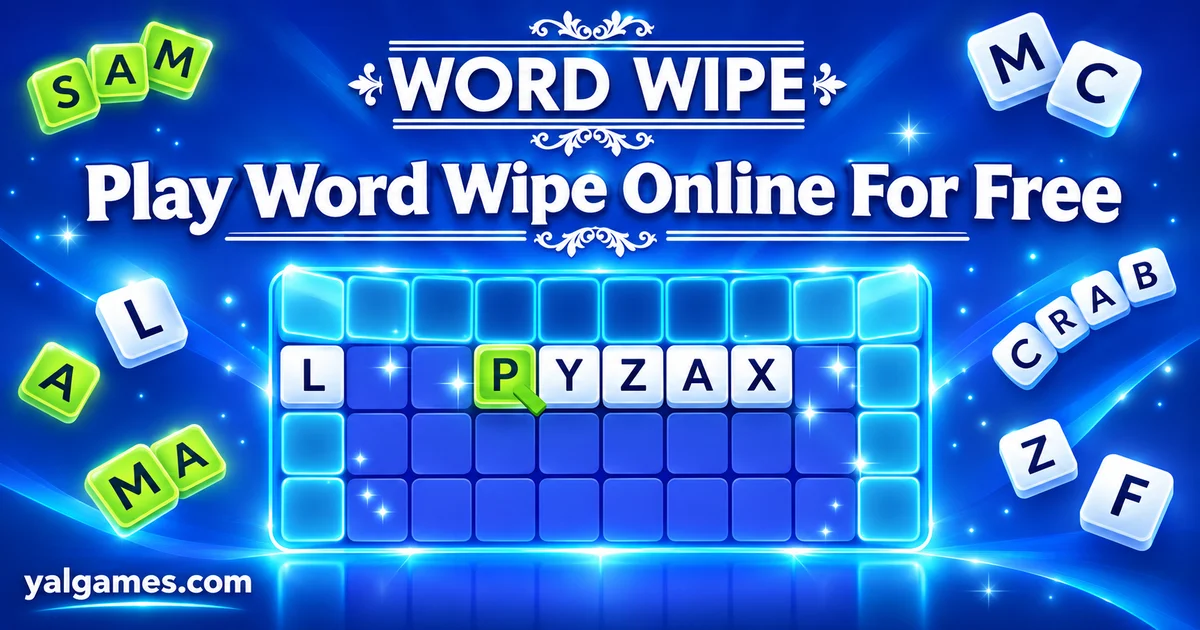
A Word Puzzle That Never Stays Still
Created by Arkadium, Word Wipe is a timed word-building puzzle with a simple idea: turn a grid of individual letters into words, removing the letters you use and changing the board with every move.
Unlike a traditional word search, where hidden words stay in fixed positions, Word Wipe has a changing layout. Once a valid word is submitted, its tiles disappear, and the remaining letters above them can fall into the empty spaces.
This means finding one word may reveal another that wasn't possible a moment earlier.
You also have a specific objective to complete before the timer expires. In the classic game, advancing depends on clearing the required number of horizontal or vertical lines. Your score matters, but finishing the level goal is what keeps the game going.
The rules are easy to understand, yet the combination of word recognition, shifting tiles, and limited time creates plenty of room to improve.
First, Learn How Letters Connect
The most important rule is that the letters in your word must touch one another. You cannot simply choose letters from unrelated parts of the board.
Word Wipe allows you to connect adjacent tiles in several directions:
- Horizontally: Move left or right across neighboring letters.
- Vertically: Connect letters above or below one another.
- Diagonally: Move to a touching letter in a diagonal position.
- With turns: Change direction while tracing a word, as long as each next letter is adjacent.
Words must contain at least three letters in the classic version. Shorter combinations are not accepted as ordinary words.
A Simple Example
Imagine you see the letters C, A, and T next to one another. Connecting them in the correct order creates CAT, a valid three-letter word.
Now imagine an S is touching the T. If the arrangement allows you to continue the path, you could extend your word to CATS.
That extra letter makes the word longer and removes another tile from the board.
The useful habit is to look beyond the first word you recognize. Check whether a nearby letter can extend it before submitting your selection.
Mouse and Touch Controls
On a desktop or laptop, click and hold the left mouse button on the first letter, then drag through the adjacent letters that spell your word. Release the mouse button to submit it.
Arkadium's original version also supports selecting letters individually with mouse clicks and clicking the final letter again to submit.
On a touch-compatible version, drag your finger across neighboring letters and lift it to finish the selection.
The precise interface can vary between browser releases, so follow the controls shown inside the game if your version behaves differently.
Why Clearing Rows Matters More Than Finding Endless Words
It's tempting to focus entirely on making the longest word or collecting the highest score. However, the classic Word Wipe game gives you another important target: clear a required number of complete horizontal or vertical lines.
At the beginning of a level, the game tells you how many lines you need to clear. You must reach that goal before the countdown finishes.
Creating a valid word removes the letters you selected, but it doesn't automatically clear an entire row. A line counts toward your objective when its required tiles have been cleared through your moves.
That difference changes your strategy.
A Long Word Isn't Always the Best Move
Suppose you have two choices. You can create a six-letter word near the top of the board or a three-letter word that removes the final pieces needed to clear a line.
The longer word might earn more points. The shorter word, however, could complete your level objective and allow you to advance.
When time is running low, finishing the required line is often more valuable than chasing a bigger word elsewhere.
Watch the Line-Clear Goal
Before making a selection, look at your remaining objective. If you're close to clearing enough lines, focus on words that help finish partially emptied rows or columns.
Once you've secured the level goal, you can use any remaining opportunities to improve your score, depending on how that version handles progression.
What Happens After a Word Disappears?
Removing letters doesn't just make the board smaller. It changes the position of other tiles and can create completely new word patterns.
When selected tiles vanish, the letters above them drop into available spaces. Neighboring letters that were previously separated may now touch.
A word that wasn't possible before your last move might suddenly appear.
Use Short Words to Change the Board
If you're struggling to find a long word, try looking for a useful three- or four-letter combination.
Even a small word can remove an awkward cluster and move the surrounding letters into more promising positions.
This is especially helpful when you've been searching the same section for several seconds without spotting a new possibility.
Look Again After Every Move
A common mistake is continuing to search for a word you noticed before the board changed.
Instead, quickly scan the area where letters just moved. Fresh combinations may have appeared, and finding them immediately can save valuable time.
Think of each submitted word as two actions: you remove one group of letters and create a new arrangement for your next decision.
The Clock Changes Everything
Word Wipe combines word searching with a countdown. You can't spend unlimited time examining every possible combination.
In Arkadium's classic game, the first level gives players 120 seconds to clear one line. Later levels increase the required number of cleared lines, and the time allowance becomes shorter at higher stages.
That progression means a strategy that feels comfortable early on may become too slow later.
At the Start of a Level
Use the opening moments to identify useful clusters of letters. Look for common word beginnings, familiar endings, and areas where removing tiles might contribute toward a line clear.
Don't spend too long searching for one perfect word. Finding several reliable words can help build momentum.
When Half Your Time Is Gone
Check how many lines remain. If you're behind your target, start prioritizing moves that help the level objective instead of pursuing difficult vocabulary for extra points.
Smaller words can become valuable because they're easier to recognize and submit quickly.
In the Final Seconds
Choose speed and certainty. Look for obvious words in areas where a few remaining letters are preventing a line from being cleared.
If your version includes a bonus bomb and using it can complete an important line, that may be the right moment to activate it.
The important lesson is that your strategy should change with the clock. Early in the round, you can explore. Near the deadline, focus on finishing.
How to Find Words Faster Without Guessing Randomly
You don't need an enormous vocabulary to improve at Word Wipe. Recognizing common patterns and scanning the board efficiently can make a noticeable difference.
Start With Familiar Letter Combinations
Look for common groups such as TH, CH, SH, ST, and TR. These combinations often appear inside everyday English words.
When you find one, check the surrounding tiles for possible vowels and word endings.
Search for Useful Endings
Endings such as S, ED, ER, ING, and LY can help extend words when the necessary letters are adjacent.
For example, a valid four-letter word may become a five-letter word when you add an S at the end.
Longer words are often worth more points, so recognizing extensions can improve your score without requiring an entirely new word.
Don't Forget Diagonals
Many beginners search mainly from left to right, as they would when reading ordinary text.
But Word Wipe lets you connect diagonally and turn in different directions. A promising word may follow a zigzag path rather than a straight line.
Train yourself to look at all the letters touching your current selection.
Use Common Three-Letter Words
Words such as CAT, SUN, RED, TOP, MAP, and PEN can be useful when their letters appear in valid connected positions.
Short words are especially valuable when you need to remove a few remaining tiles or shift part of the grid.
A fast, reliable word is often better than spending too much time searching for a complicated one that may not exist.
Scoring Higher: Balance Word Length and Board Position
Arkadium's original Word Wipe awards points for valid words, with longer and more valuable letter combinations contributing more to your score.
But a good scoring strategy also considers where the letters are located.
A word near an unfinished line might be strategically useful even if it scores fewer points than a longer word elsewhere.
Try balancing these two priorities:
- For immediate progress: Choose words that help clear the required lines.
- For higher scores: Look for longer words and valuable letter combinations when you have enough time.
- For new opportunities: Remove clusters that could make more useful letters fall together.
- For consistency: Prefer words you're confident the game will accept over uncertain guesses during a countdown.
As you become familiar with the board mechanics, you'll start spotting moves that help with both scoring and progression.
Bonus Bombs: Save Them or Use Them?
The classic Arkadium game includes bonus bombs that can remove letters from difficult sections of the grid. A bomb can clear a three-by-three area, helping you open space when ordinary words are hard to find.
Bomb availability and the way bombs are earned can vary by version. In the official game, bonus points and certain reward options can contribute toward obtaining bombs.
Think of bombs as a tool for changing the board, not simply a way to earn easy points.
Good Moments to Use a Bomb
A bomb can be especially helpful when:
- A few isolated letters are preventing a line from being cleared.
- You need to remove a difficult cluster before the timer runs out.
- Several important lines pass through the same group of tiles.
- The current arrangement leaves you with very few useful word combinations.
Saving a bomb can be a smart choice when you're finding words comfortably. But don't hold onto it so long that the timer expires before it can help.
If the browser version on YalGames doesn't provide bombs, focus on short-word combinations and clearing strategically placed letters instead.
Word Wipe Is Not a Traditional Word Search
Both games involve recognizing words among letters, but they create different challenges.
| Word Wipe | Traditional Word Search |
|---|---|
| Selected word tiles disappear. | Letters usually stay in place after a word is found. |
| Words can turn between adjacent letters. | Words commonly follow a straight line. |
| Remaining letters move after matches. | The letter grid normally remains fixed. |
| Classic levels have timed line-clearing goals. | The goal is usually to find a list of hidden words. |
| Each move can change the next available words. | Words remain in their original positions. |
This changing-board design is what makes Word Wipe feel different. You're not simply identifying words that were hidden from the beginning; you're continually creating new opportunities through your choices.
Play Word Wipe Online on YalGames
You can launch the browser version of Word Wipe on YalGames without installing a separate desktop application. Open the game above, wait for the letter grid to appear, and begin connecting tiles.
Browser play makes the game convenient for short sessions on a computer. Some versions also support phones and tablets with touch controls, although compatibility depends on the embedded game and your browser.
The original Word Wipe was developed by Arkadium. Its official version also includes features such as score tracking and leaderboards, but those account-linked features may not be available in every third-party browser release.
Can You Play Word Wipe on Mobile?
Touch-compatible versions let you create words by dragging a finger across adjacent letters. Because the grid contains many small tiles, using a larger screen can make it easier to see and select longer word paths.
If the game doesn't respond correctly on your phone, try an updated browser or switch to a desktop device.
Is Word Wipe Free and Unblocked?
You can start the browser game on YalGames for free, with no separate desktop installation required.
Players sometimes search for Word Wipe unblocked when looking for a version accessible through a web browser. However, schools, workplaces, and public networks may restrict gaming websites or embedded content. Access depends on the local network rules.
Do You Need to Download Word Wipe?
No download is required to launch the browser game on this page.
If you're looking for the original game, visit Arkadium's official Word Wipe page. Be careful with similarly named mobile apps, as a game called Word Swipe or Word Connect isn't necessarily the same title.
What If Word Wipe Won't Load?
Refresh the page and make sure the game has finished loading. If dragging letters doesn't work, click inside the game window and try again.
Other useful steps include updating your browser, checking your internet connection, and closing unnecessary tabs.
If the board appears but some functions are missing, the embedded version may differ from Arkadium's original release.
More Games for Word Puzzle Fans
If you enjoy finding hidden words, spotting letter patterns, and improving your vocabulary through puzzles, explore the Word Games category on YalGames for more challenges involving spelling, word recognition, and creative thinking.
Here are a few related games worth trying:
- Text Twist 2: Rearrange a selection of letters to discover as many valid words as possible.
- Word Search: Find hidden words inside a fixed grid of letters.
- Word Connect: Build words from a small set of letters to complete puzzle levels.
- Wordshake: Search a grid for connected letter combinations under time pressure.
- Octordle: Solve eight five-letter word puzzles using shared guesses.
- Contexto: Discover a secret word using semantic similarity clues.
Word Wipe Questions Players Often Ask
Who created Word Wipe?
The original Word Wipe game was developed by Arkadium, a company known for browser-based word, card, and puzzle games.
How do you play Word Wipe?
Connect adjacent letters to create valid words of at least three letters. The selected tiles disappear, allowing other letters to fall. In the classic game, you must clear the required number of lines before time runs out.
Can Word Wipe words go diagonally?
Yes. You can connect letters horizontally, vertically, and diagonally. You can also change direction while forming a word, provided each consecutive letter touches the previous one.
What is the minimum word length?
The classic Word Wipe requires at least three letters for a valid word.
How do you clear a row in Word Wipe?
Create words that remove tiles from a horizontal or vertical line. When the required line is completely cleared, it contributes toward your level objective.
Why do letters fall after I make a word?
Removing the selected tiles creates empty spaces. Letters above those spaces fall downward, changing the layout and potentially creating new word combinations.
Are longer words always better?
Longer words generally earn more points, but short words can be more useful when you need to complete a line quickly or change an awkward part of the board.
How do you earn bonus bombs?
In Arkadium's original game, bonus points and certain reward options can provide bombs. The exact earning system may differ between browser versions.
What does a bonus bomb do?
In the classic Arkadium version, a bonus bomb removes a three-by-three area of letter tiles, helping clear difficult sections of the grid.
How many levels are in Word Wipe?
Arkadium's classic version has no fixed final level. The required number of cleared lines rises as you advance, with increasingly demanding time limits.
Does Word Wipe have a timer?
Yes. Each classic level has a countdown, and you need to complete its line-clearing objective before the time expires.
Is Word Wipe free to play online?
Yes. You can launch the browser game on YalGames for free without installing a separate desktop application.
Can I play Word Wipe on my phone?
Some browser releases support touch controls on phones and tablets. Compatibility depends on the version and the device.
Is Word Wipe the same as Word Wipe 2?
No. The original Word Wipe focuses on clearing lines before the timer runs out. Word Wipe 2: Power Play uses score-based level objectives and introduces additional features.
Does Word Wipe help improve vocabulary?
The game encourages players to recognize familiar words, explore letter combinations, and practice spelling. It can be an engaging word activity, although specific educational or cognitive improvements shouldn't be assumed from gameplay alone.
One Word Can Change the Entire Puzzle
Word Wipe rewards more than a large vocabulary. It asks you to see possibilities in a changing board, recognize when a short word is useful, and decide whether to chase extra points or finish the level before the clock runs out.
The next time you spot an easy word, look at the surrounding letters before submitting it. A different selection might clear an important line or reveal a longer word waiting underneath.
Start Word Wipe on YalGames, connect your first letters, and see how many lines you can clear before time runs out.