
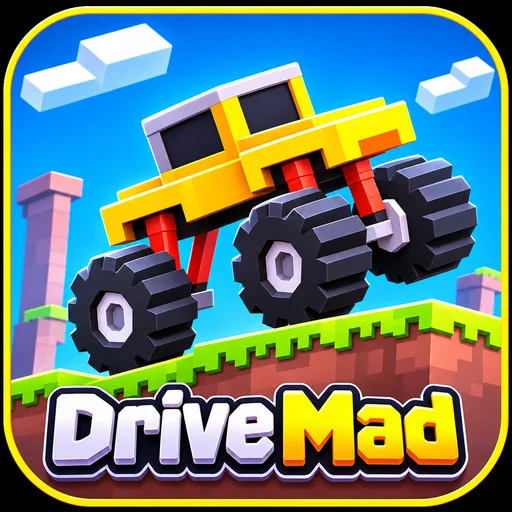




Drive Mad is a physics-based driving game where keeping your wheels on the ground can be harder than reaching the finish line. Created by Martin Magni, the game challenges you to guide unusual vehicles across steep ramps, narrow bridges, tricky gaps, and unpredictable terrain. With only forward and reverse controls, every obstacle tests your balance, timing, and patience.
Play Drive Mad online for free on YalGames without downloading a separate application or creating an account. Accelerate carefully, watch how your vehicle reacts, and find the right moment to slow down. A little extra speed might clear a difficult jump, but it could also send your car tumbling off the track.
Ready to put your driving skills to the test? Start the game above and see how far you can make it without crashing.

What Is Drive Mad?
Drive Mad is a driving and skill game built around vehicle physics rather than traditional racing. Instead of competing against other drivers, your objective is to reach the end of each obstacle course while keeping your vehicle under control.
The challenge comes from the way vehicles respond to movement. Accelerating too aggressively can lift the front wheels off the ground, while braking at the wrong moment might leave you stuck on a slope. Even a successful jump can end badly if your vehicle lands at an awkward angle.
As you progress, the game introduces different vehicles and course designs that encourage you to experiment with new approaches. Some obstacles require momentum, others demand precise timing, and a few are best handled by slowing down and thinking before making your next move.
Drive Mad was developed by Martin Magni, the creator of Fancade, a platform for building and playing interactive games. Its simple controls and playful physics make it easy to learn, but mastering every challenge takes practice.
Drive Mad Game Information
- Game: Drive Mad
- Developer: Martin Magni
- Game Platform: Fancade
- Genre: Driving, Physics, Skill, Arcade
- Game Mode: Single-player obstacle challenges
- Platform: Web browser
- Devices: Desktop, laptop, and supported mobile devices
- Price: Free to play online
- Installation: Not required for browser play
- Main Objective: Reach the finish without overturning your vehicle
How to Play Drive Mad
Your goal is simple: drive from the starting point to the finish line without flipping over or losing control. The real challenge is learning how much acceleration each obstacle requires.
- Start the game: Open Drive Mad in the game window and wait for it to load. Click inside the playing area if your keyboard controls are not responding.
- Move forward: Press the Right Arrow key to accelerate. Begin with gentle inputs so you can observe how your vehicle handles the terrain.
- Control your speed: Release the accelerator or use the reverse control when you need to reduce momentum. Avoid holding the accelerator continuously on unfamiliar tracks.
- Navigate obstacles: Cross ramps, bridges, gaps, and uneven surfaces while keeping your vehicle balanced.
- Reach the finish: Complete the course with your vehicle intact to move on to the next available challenge.
- Try again when necessary: If you crash, use the restart option provided by the game. Adjust your approach rather than repeating the same mistake.
Remember that Drive Mad does not use conventional left-and-right steering. Your main tools are acceleration, reverse movement, and the timing of each input.
Drive Mad Controls on PC
The original game supports several keyboard options for moving forward and backward.
| Action | Keyboard Controls |
|---|---|
| Drive Forward | Right Arrow, Up Arrow, W, D, or X |
| Brake / Reverse | Left Arrow, Down Arrow, A, S, or Z |
| Restart Level | Use the in-game retry option |
| Pause | Use the in-game pause button, if available |
Start with the Left and Right Arrow keys if you're new to the game. They are easy to remember and allow you to focus on controlling your momentum.
How to Play Drive Mad on Mobile
On supported mobile versions, touch controls replace the keyboard. Typically, tapping the right side of the game area moves your vehicle forward, while tapping the left side slows it down or moves it backward.
The appearance and location of these controls may vary depending on the browser version. Follow the instructions displayed by the game if the controls differ from those described here.
Drive Mad Tips and Tricks
Driving faster isn't always the answer. Understanding how your vehicle reacts to the environment is much more useful than holding the accelerator and hoping for the best.
1. Use Short Bursts of Acceleration
Holding the accelerator for too long is one of the easiest ways to lose control. Short presses help you manage speed on narrow platforms, steep climbs, and uneven ground.
When approaching an unfamiliar obstacle, start slowly and increase your speed only when necessary.
2. Think About Your Landing Before Jumping
Clearing a gap is only half the challenge. If you reach the opposite platform too quickly, your vehicle might bounce, tip over, or roll straight off the edge.
Look at the landing area before accelerating. A wide platform gives you more room to recover, while a narrow one demands greater precision.
3. Learn to Balance Your Vehicle
Drive Mad uses physics that make weight distribution and momentum important. Steep slopes and sudden jumps can change your vehicle's angle, even when you're moving in a straight line.
Pay attention to how acceleration and reverse inputs affect the vehicle's position. In some situations, carefully timed inputs can help you correct an unstable angle.
4. Avoid Rushing Across Bridges
Narrow bridges and elevated tracks leave little room for mistakes. Excessive speed can make your car bounce or lose contact with the surface.
Approach these sections steadily and avoid unnecessary acceleration until you have a clear path ahead.
5. Adapt to Different Vehicles
Not every vehicle behaves the same way. Differences in wheel size, body shape, and weight can affect how a vehicle climbs slopes, crosses gaps, and handles landings.
When a level introduces an unfamiliar vehicle, take a moment to understand its movement before attempting difficult obstacles at full speed.
6. Make Every Retry Count
Repeated crashes are part of learning Drive Mad. Instead of changing everything at once, identify what went wrong during your previous attempt.
If you fell short of a platform, try accelerating a little earlier. If you overshot it, reduce your speed before takeoff. Small adjustments make it easier to understand what works.
Common Mistakes in Drive Mad
Even experienced players can struggle with certain obstacle combinations. Here are a few common problems and practical ways to approach them.
| Problem | What to Try |
|---|---|
| Car flips on a slope | Reduce acceleration and climb more gradually. |
| Vehicle falls short of a jump | Build slightly more speed before takeoff. |
| Car overshoots the platform | Release the accelerator earlier. |
| Vehicle overturns after landing | Approach with less speed and allow the wheels to settle. |
| Car gets stuck on an obstacle | Try reversing if there is room, or restart with a different approach. |
There is no single technique that works for every level. The key is to recognize the obstacle, understand your vehicle, and make controlled adjustments.
Drive Mad Game Features
Drive Mad stands out because it turns simple driving mechanics into creative challenges. Some of its most recognizable features include:
- Physics-Based Gameplay: Acceleration, balance, momentum, and landings influence how your vehicle behaves.
- Creative Obstacle Courses: Navigate ramps, bridges, gaps, uneven tracks, and other unexpected hazards.
- Unusual Vehicles: Different vehicle designs introduce new handling challenges and encourage experimentation.
- Simple Controls: Forward and reverse movement are easy to understand, making the game approachable for beginners.
- Progressive Challenges: Courses become more demanding as new obstacles and vehicle behaviors are introduced.
- Quick Retries: Failed attempts give you opportunities to learn and improve your strategy.
- Browser-Based Play: Enjoy the game online without installing a separate desktop application.
How Many Levels Are in Drive Mad?
The original Drive Mad web release is commonly described as having 100 levels. However, expanded editions and other versions may include additional worlds, vehicles, and challenges.
The exact number of levels available to you depends on the version loaded in your browser. For the most accurate information, check the in-game level selection screen or menu.
Regardless of the edition, the difficulty comes from learning how each course works. A seemingly simple obstacle can become surprisingly challenging when the vehicle's balance and momentum are involved.
Play Drive Mad Online for Free
You can enjoy Drive Mad directly in your browser on YalGames without installing a separate application. This makes it convenient for short gaming sessions on a laptop or longer attempts at difficult levels on a desktop computer.
Browser play requires an internet connection to load the game. Once it starts, you can focus on mastering the obstacle course rather than setting up additional software.
For the best experience, use an updated browser and make sure your device supports the graphics features required by the loaded game.
Can You Download Drive Mad?
Drive Mad has browser-based and mobile versions. Its connection to Fancade also makes it part of a wider collection of games available across supported platforms.
If you prefer playing without installing an app, the browser version is a convenient option. Mobile app availability and features may differ from those of the browser edition.
For downloads, use official developer resources or trusted app stores. Avoid unfamiliar download pages that ask you to install unrelated software or browser extensions.
Drive Mad Unblocked: What Should You Know?
Players sometimes search for Drive Mad unblocked when looking for a browser version that does not require installation.
While Drive Mad can run in a supported web browser, that does not guarantee access on every school, workplace, or managed network. Some networks restrict gaming websites or embedded content.
If the game is unavailable on your current connection, check whether gaming websites are permitted. Use Drive Mad only where access is allowed.
Drive Mad Not Loading? Try These Fixes
If the game doesn't load or respond correctly, the issue may involve browser settings, network conditions, or the game host.
- Wait for loading: Give the game enough time to retrieve its files, especially on slower connections.
- Click the game window: Keyboard input may not work until the game has focus.
- Refresh the page: Reloading can resolve temporary problems, although it may interrupt your current session.
- Update your browser: An outdated browser may have trouble running certain game features.
- Check your connection: An unstable network can interrupt loading or prevent game resources from appearing.
- Try another browser: This can help determine whether the issue is related to your current browser configuration.
Avoid installing unknown plugins or supposed game repair tools. If the problem continues, you can report it through the YalGames contact page.
Games Similar to Drive Mad
If you enjoy Drive Mad, explore our Car Games category for more exciting driving challenges, tricky tracks, and physics-based adventures. You might also like these games that test your timing, reflexes, and vehicle control.
- Survival Race: A driving challenge where quick reactions and smart movement help you stay in the competition.
- Slope 2: Control a rolling ball through a fast-moving 3D course filled with hazards that test your reflexes.
- Geometry Dash: Master precise timing as you navigate obstacles in a rhythm-based platforming challenge.
- Eggy Car: Drive across uneven terrain while trying to keep a fragile egg from falling off your vehicle.
- Moto X3M: Race through motorcycle obstacle courses where speed, jumps, and careful landings matter.
For more driving challenges, explore the YalGames game collection and discover other titles that match your interests.
Frequently Asked Questions About Drive Mad
What is Drive Mad?
Drive Mad is a physics-based driving game created by Martin Magni. Players guide unusual vehicles through obstacle courses and try to reach the finish without crashing or flipping over.
Who developed Drive Mad?
Drive Mad was created by Martin Magni using Fancade, his game creation platform. Fancade is associated with the game's development and distribution.
Is Drive Mad free to play?
Yes. Drive Mad can be played for free in a supported web browser without purchasing or installing a separate application.
What are the controls for Drive Mad?
Use the Right Arrow key to drive forward and the Left Arrow key to brake or reverse. The original game also supports alternative keys, including W, D, X, A, S, Z, and the Up and Down arrows.
Can I play Drive Mad on mobile devices?
Drive Mad supports touchscreen gameplay in compatible versions. Players typically use the left and right sides of the screen to control movement. Compatibility depends on the device, browser, and game version.
How many levels does Drive Mad have?
The original web edition is described as having 100 levels, while expanded versions offer additional content. Check the version you're playing for its available levels and worlds.
Why does my vehicle keep flipping over?
Flipping usually happens when the vehicle gains too much momentum or lands at an unstable angle. Try shorter acceleration inputs, release the controls earlier, and approach difficult obstacles more carefully.
Does Drive Mad save your progress?
Progress saving depends on the version and platform. Some editions support saved progress, but it should not be assumed for every embedded browser version. Clearing browser data may also affect locally stored progress.
Can I skip difficult levels in Drive Mad?
Level-skipping options depend on the edition you're playing. Some versions may provide additional ways to progress, while others require levels to be completed in sequence. Check the in-game menu for available options.
Is Drive Mad 2 an official sequel?
Games using names such as Drive Mad 2 may be variations, adaptations, or separately published titles. A numbered name alone does not confirm an official sequel. Check the developer information before treating a version as an official release.
Can I play Drive Mad unblocked at school?
Drive Mad runs in a browser, but school and workplace network restrictions may prevent access. Availability depends on the network settings and the game host.
Ready to Master Drive Mad?
Drive Mad proves that a driving game doesn't need complicated controls to offer a serious challenge. Every ramp, narrow bridge, and unexpected landing gives you another opportunity to improve your timing and balance.
Start playing Drive Mad on YalGames, experiment with your approach, and see how many obstacles you can overcome. Sometimes the difference between another crash and a perfect finish is just one carefully timed move.